VW Polo Radio Code by Serial Number (VWZ)
If your Polo’s radio is asking for a code after a battery change, flat battery, radio replacement, or electrical repair, you can request the code online using the VWZ serial number printed on the radio unit.
Volkswagen Polo radios use a serial number starting with VWZ, 14 characters long — for example VWZ1Z2K8198892 or VWZ4Z7K1130097. This applies across RCD, RNS and Composition/Discover units fitted throughout the Polo range.
Get your Polo unlock code
Enter your Polo’s radio serial number, starting with VWZ.
Volkswagen radio · Not a Volkswagen? Change the make
How to find your VW Polo radio serial number
Every Polo radio needs to be partly removed from the dashboard to reveal the serial label — the exact steps depend on which unit is fitted. You don’t need to disconnect any wires; the radio simply needs to slide forward far enough to read the sticker.
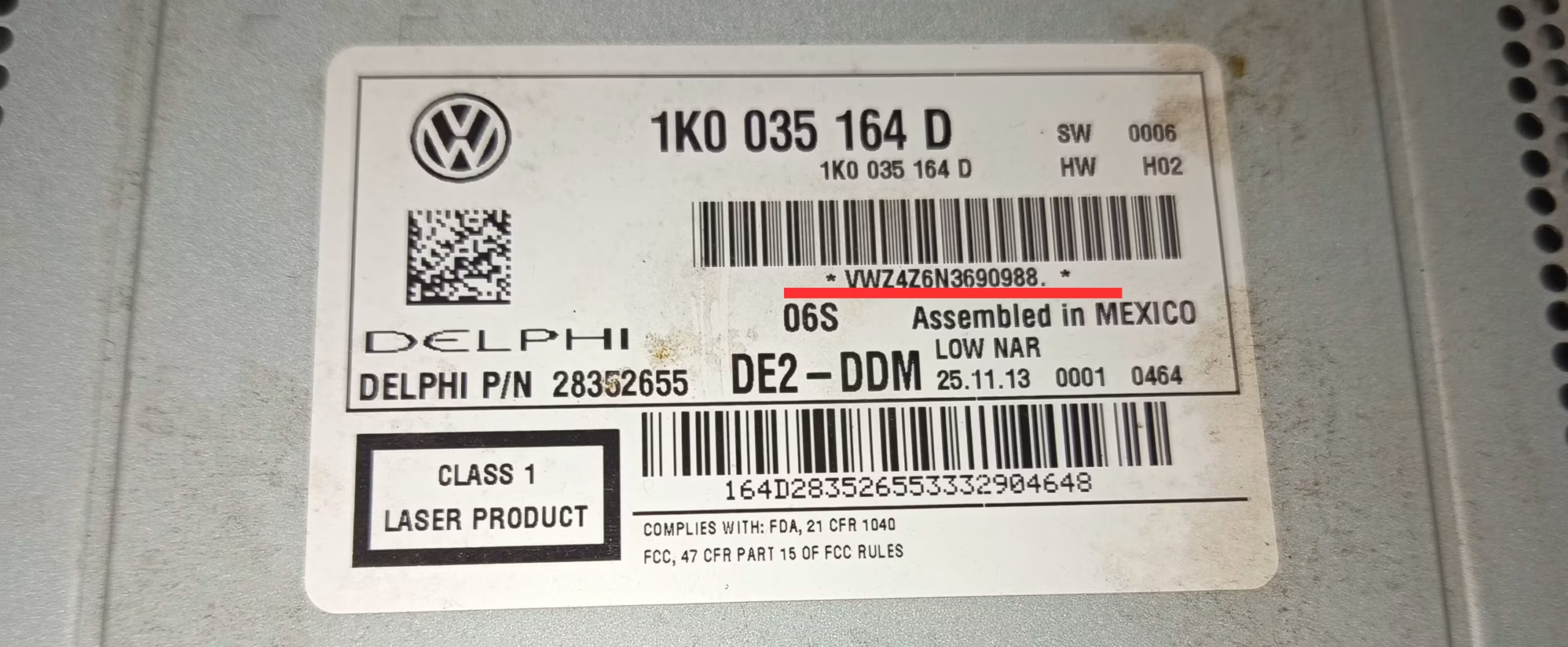
Example of a VW Polo radio label — the VWZ serial number is underlined in red.
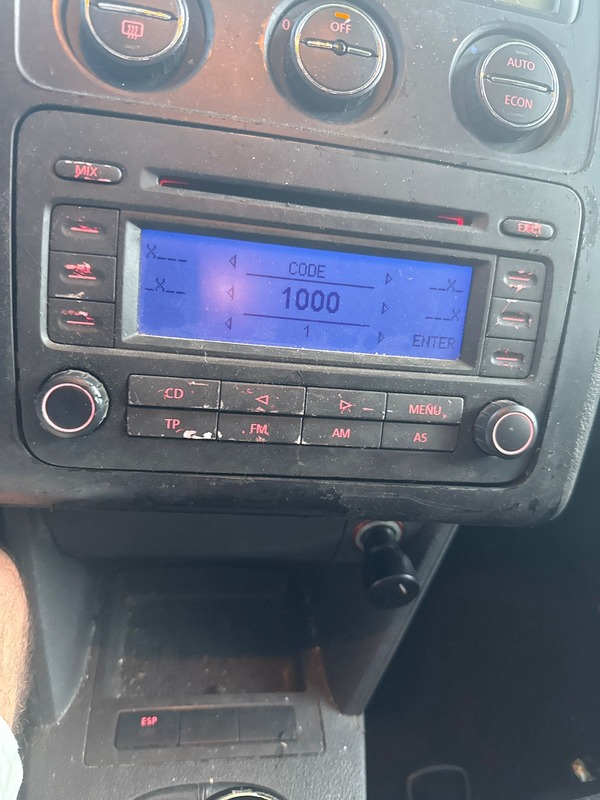
Example of a Volkswagen radio screen asking for the security code after a power loss.
RCD units
Remove the trim covering the air vents above the radio to reveal two screws, then unscrew and slide the unit forward.
RNS & navigation units
Use a trim prying tool to release the surrounding panel, then remove the mounting screws before pulling the unit out.
Read the label carefully
The VWZ serial is 14 characters — copy it exactly, since a single wrong character returns an incorrect code.
Why does the Polo radio ask for a code?
Volkswagen factory radios include a built-in anti-theft system. When the unit loses power — from a disconnected battery, a flat battery, a jump start, dashboard work, or a radio swap — it locks itself and displays SAFE or CODE the next time it’s switched on.
This is a normal security feature, not a fault. Once the correct code is entered, the radio works exactly as before. Avoid guessing: after 3 incorrect attempts, most VW radios enter a longer SAFE mode and require around an hour of waiting with the radio powered on before another attempt is allowed.
VW Polo radio units we support
Volkswagen fitted several different factory units across the Polo range over the years. Whichever one is in your car, the VWZ serial number is the key detail we need.
- RCD 210
- RCD 310
- RCD 510
- RNS 315
- RNS 510
- Composition Media
- Discover Media
- Discover Pro
Common VW Polo serial number examples
These are examples only, but your Polo’s serial should follow the same VWZ format. Always copy the full 14-character serial exactly as printed on the label.
VWZ1Z2K8198892
Example RCD-style Polo serial number.
VWZ4Z7K1130097
Example serial format seen on navigation units.
VWZ1Z2I6576334
Another typical VWZ serial format.
The same VWZ serial method applies across the Volkswagen range. Check our VW Golf Radio Code or VW Passat Radio Code pages, or visit our main VW Radio Code guide for the full range.
Why use RadioCodePro?
No dealer visit
Request your Polo radio code online without booking an appointment or waiting at a dealership.
Simple process
Enter your VWZ serial number, complete the secure checkout, and receive the result by email.
Support included
Not sure what to enter? Send us a clear photo of the radio label and we’ll check it for you.
VW Polo radio code FAQ
Where is the serial number on a VW Polo radio?
It’s printed on a white label on the side, top, or back of the radio unit, visible once the radio has been partly slid out of the dashboard.
What does a VW Polo radio serial number look like?
It starts with VWZ and is 14 characters long, for example VWZ1Z2K8198892 or VWZ4Z7K1130097.
Which Polo radio units does this cover?
RCD 210, RCD 310, RCD 510, RNS 315, RNS 510, Composition Media, Discover Media and Discover Pro, fitted across the Polo range.
How do I remove the radio to find the serial number?
Depending on the unit, you may need to remove the air vent trim above the radio and unscrew it, or use a trim prying tool and screwdriver to release the surrounding panel before sliding the unit forward. No wires need to be disconnected.
What happens if I enter the wrong code too many times?
After 3 incorrect attempts, most VW radios enter a SAFE mode and require around an hour of waiting with the radio powered on before another attempt is allowed.
Can I get my Polo radio code without visiting a dealer?
Yes. Submit your VWZ serial number online and the matching code is emailed to you, without booking a dealer appointment.