Retrieve Your Mercedes Radio Code Online
Locked Mercedes radio after a flat battery, battery change or radio removal? We can help you recover the correct security code using the serial number printed on your radio label.
This service is useful for many original Mercedes units, including Becker, Bosch, Audio 10, Audio 20 and COMAND systems fitted in models such as C-Class, E-Class, A-Class, Sprinter, Vito, ML and more.
Enter Your Mercedes Serial Number
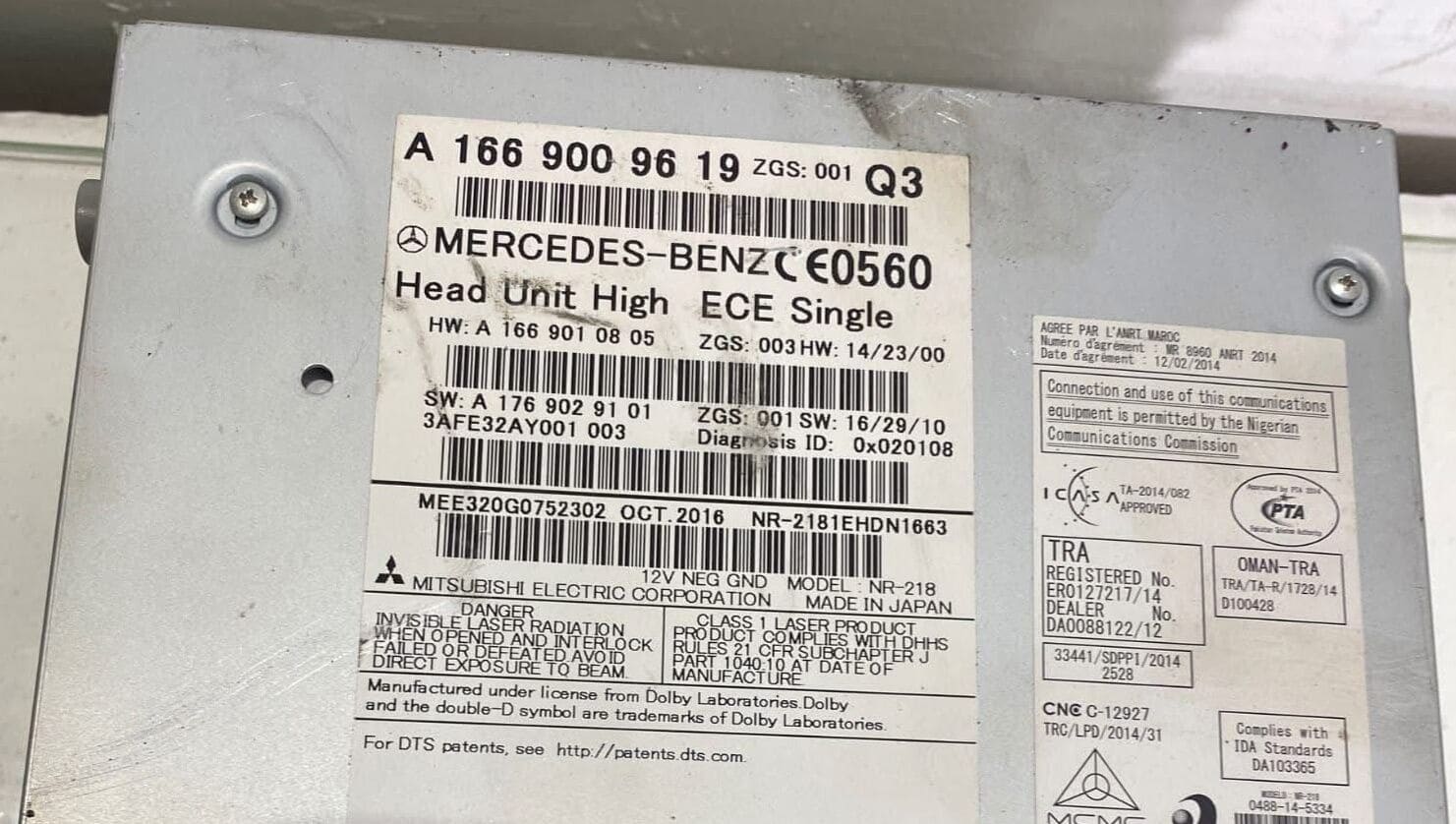
Use the serial or part number printed on the radio label. Mercedes labels may show numbers like A 166 900 96 19, BE, AL or Bosch formats.
Mercedes radio · Not a Mercedes? Change the make
Tip: check the top, side or back label of the radio unit. A clear label photo helps avoid mistakes.
How to Find Your Mercedes Radio Serial Number
For most Mercedes radios, the serial number is printed on a sticker attached to the unit. You may need to remove the radio slightly from the dashboard so you can read the label clearly. Look around the barcode area, the side label or the top label.
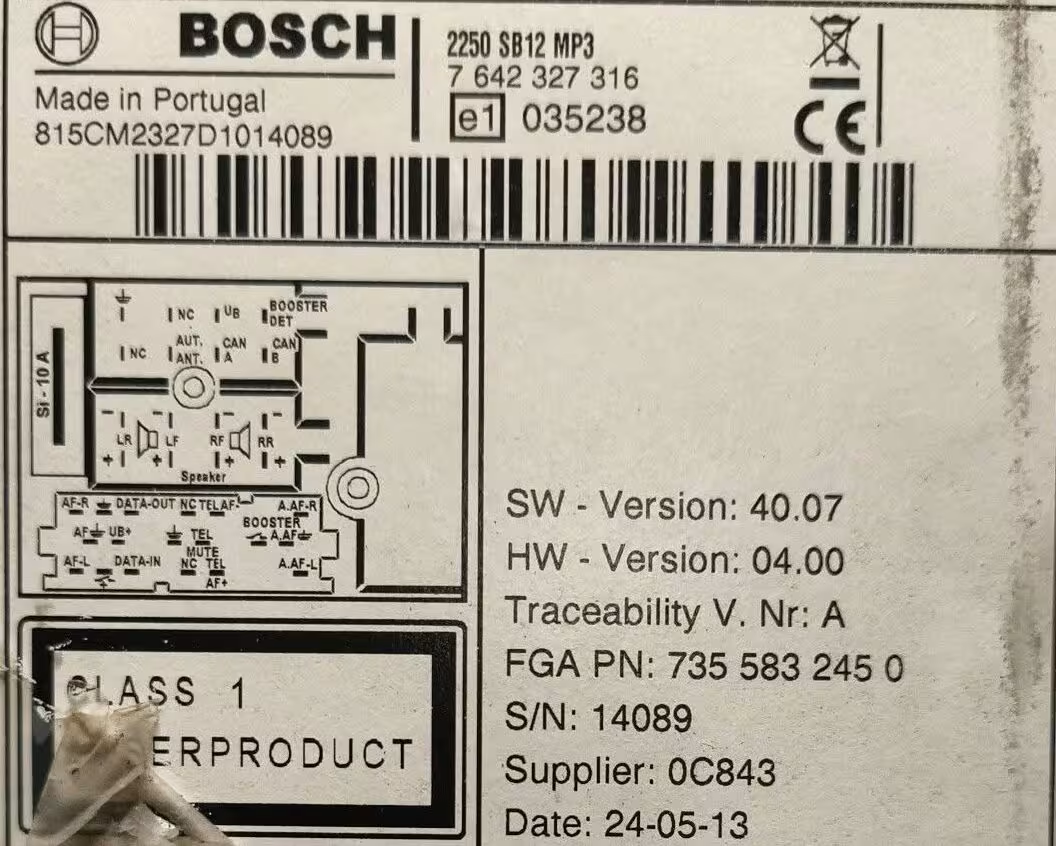
Mercedes used different radio manufacturers over the years, so the label format is not always the same. Some units show a Mercedes part number such as A 166 900 96 19, while Becker, Bosch or Alpine radios may show their own manufacturer serial.
Mercedes Radio Asking for Code?
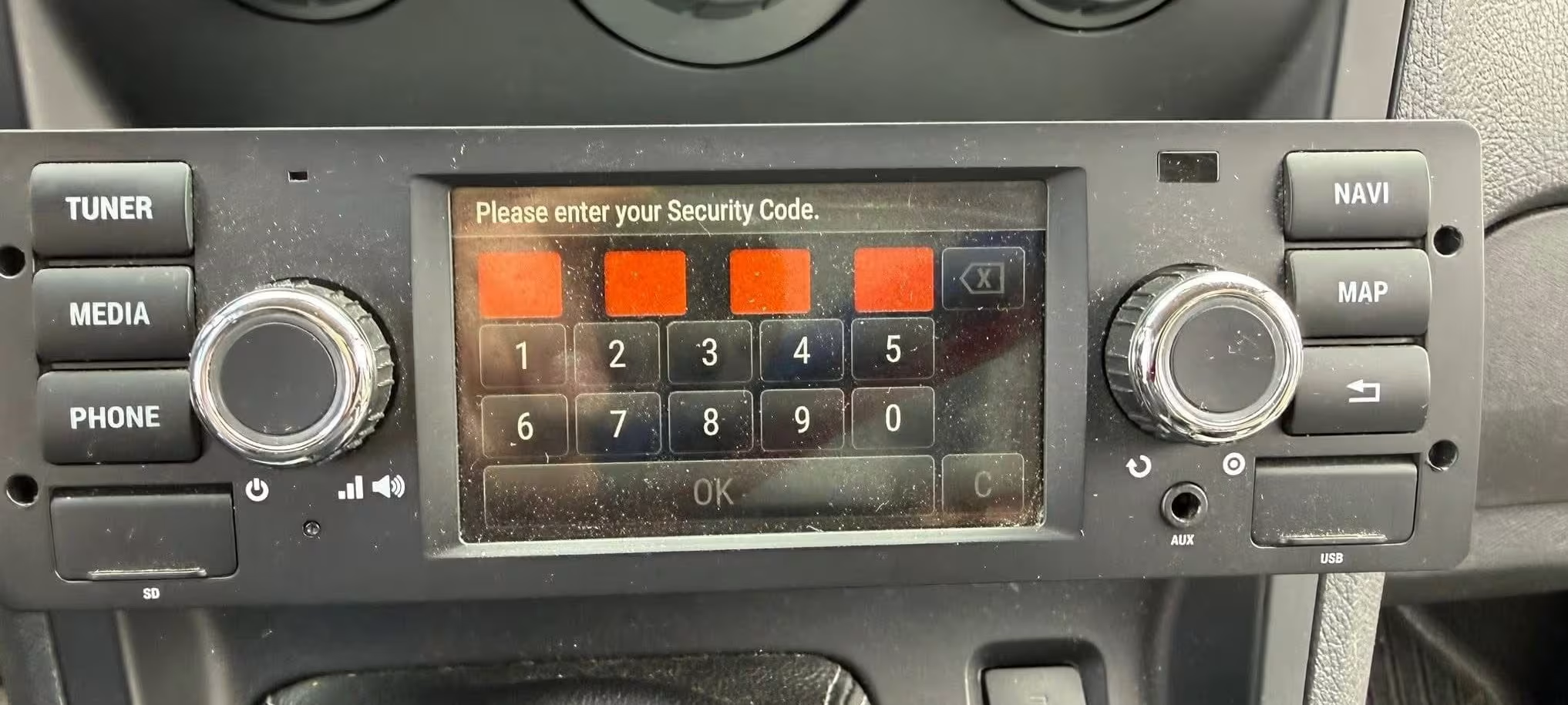
If your Mercedes radio shows CODE, ENTER CODE, WAIT or a similar message, it usually means the unit has lost power and needs the original security code again. This often happens after replacing the battery, disconnecting the battery, buying a used car or removing the radio.
Before ordering
Check the serial number carefully and take a clear photo of the label if possible. Mercedes radio labels can contain several numbers, but the correct one is usually near the barcode, manufacturer name, model number or part number.
Avoid random attempts. Too many wrong entries can make the radio display WAIT or lock the unit for longer.
Mercedes Models We Can Help With
Our Mercedes radio code service can help with many factory radios used across popular Mercedes-Benz vehicles. The most important detail is always the serial number from the radio label.
Common Mercedes Radio Types
Mercedes did not use only one radio type. This is why checking the label is so important. A Sprinter radio code may use a different serial format from a C-Class, E-Class or Vito unit.
Mercedes Becker Radio Code
Becker radios are very common on older Mercedes models. These labels often include serials beginning with BE, followed by letters and numbers.
Mercedes Bosch Radio Code
Bosch units are found on some Mercedes factory radios and navigation systems. The label may show a Bosch number, Mercedes part number and other production details.
Audio 10, Audio 20 and COMAND
Many Mercedes radios are marked as Audio 10, Audio 20 or COMAND. The exact code route depends on the unit fitted in the car, so the full label is always useful.
Common Mercedes Serial Number Examples
Mercedes serial numbers do not all look the same. Here are examples of the type of numbers you may see on Mercedes radio labels:
These are only examples. Always enter the serial number exactly as shown on your own radio label.
How It Works
Find the label
Remove the radio carefully and check the top, side or back label for the serial number.
Enter the serial
Type the Mercedes radio serial exactly as printed, including spaces, letters and numbers.
Receive your code
Your Mercedes radio code is sent by email with simple instructions for entering it.
Mercedes Radio Code FAQ
Where is the Mercedes radio serial number?
The serial number is usually printed on the label attached to the radio unit. You may need to remove the radio from the dashboard to see the sticker clearly.
Can I get a Mercedes radio code online?
Yes. In many cases, the code can be recovered online using the serial number from the radio label.
Is the Mercedes VIN number enough?
Sometimes the VIN helps, but the radio serial number is usually the most important detail. If possible, use the number printed directly on the radio label.
What does a Becker serial look like?
Many Becker Mercedes radios have serial numbers starting with BE followed by more letters and numbers. Always check the full label before entering the number.
What if my Mercedes radio says WAIT?
WAIT usually means wrong code attempts were made. Leave the radio powered on until it allows code entry again, and do not keep trying random numbers.
Do you support Bosch Mercedes radios?
Yes. Many Mercedes factory units use Bosch labels. A clear photo of the full label helps identify the correct details.
How to Enter Your Mercedes Radio Code
Once you receive the correct Mercedes radio code, entering it is usually done from the radio buttons or the main control knob, depending on the exact unit fitted in the car.
If you are unsure how to enter the code correctly, this short tutorial search may help:
External YouTube tutorials showing how to enter a Mercedes radio security code.