VW RCD 210 Radio Code From Serial Number
Is your Volkswagen RCD 210 displaying SAFE or requesting a security PIN after a flat battery, battery replacement, electrical repair or radio removal? The original unlock code can often be recovered using the unique serial number printed on the radio label.
This dedicated guide shows you where to find the required details, how to avoid common serial-number mistakes and what to do before entering the four-digit radio code.
Check your RCD 210 serial
Enter the complete serial exactly as printed on the label.
Volkswagen radio · Not a Volkswagen? Change the make
Where to find the VW RCD 210 serial number
The information required for an RCD 210 code request is normally printed on a sticker attached directly to the metal radio casing. The label may be on the top, side or rear of the unit, so careful removal from the dashboard can be necessary.
Look for the complete radio serial, commonly including a Volkswagen-style VWZ prefix, together with the part number and manufacturer details. Copy every letter and digit in the original order. Characters such as 0 and O, 1 and I, or 5 and S are easy to confuse.
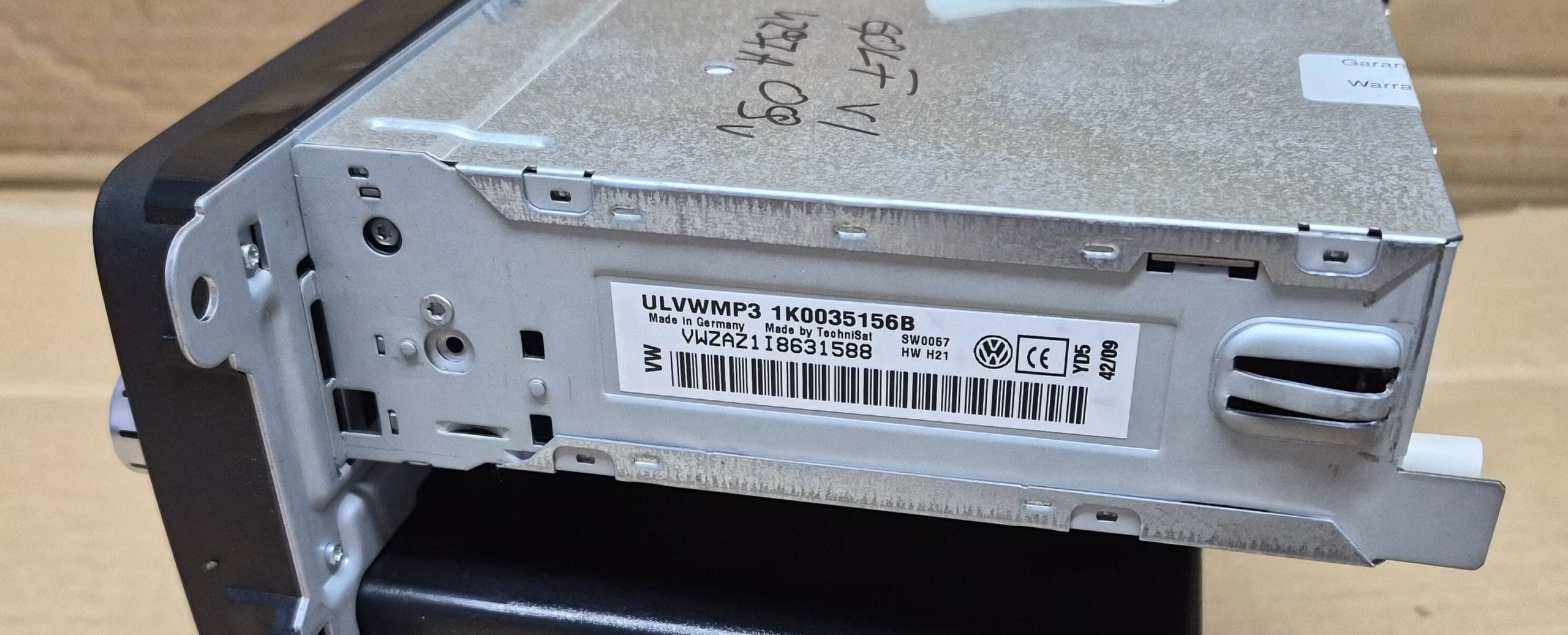
VW RCD 210 identification label showing the serial number needed for radio code recovery.
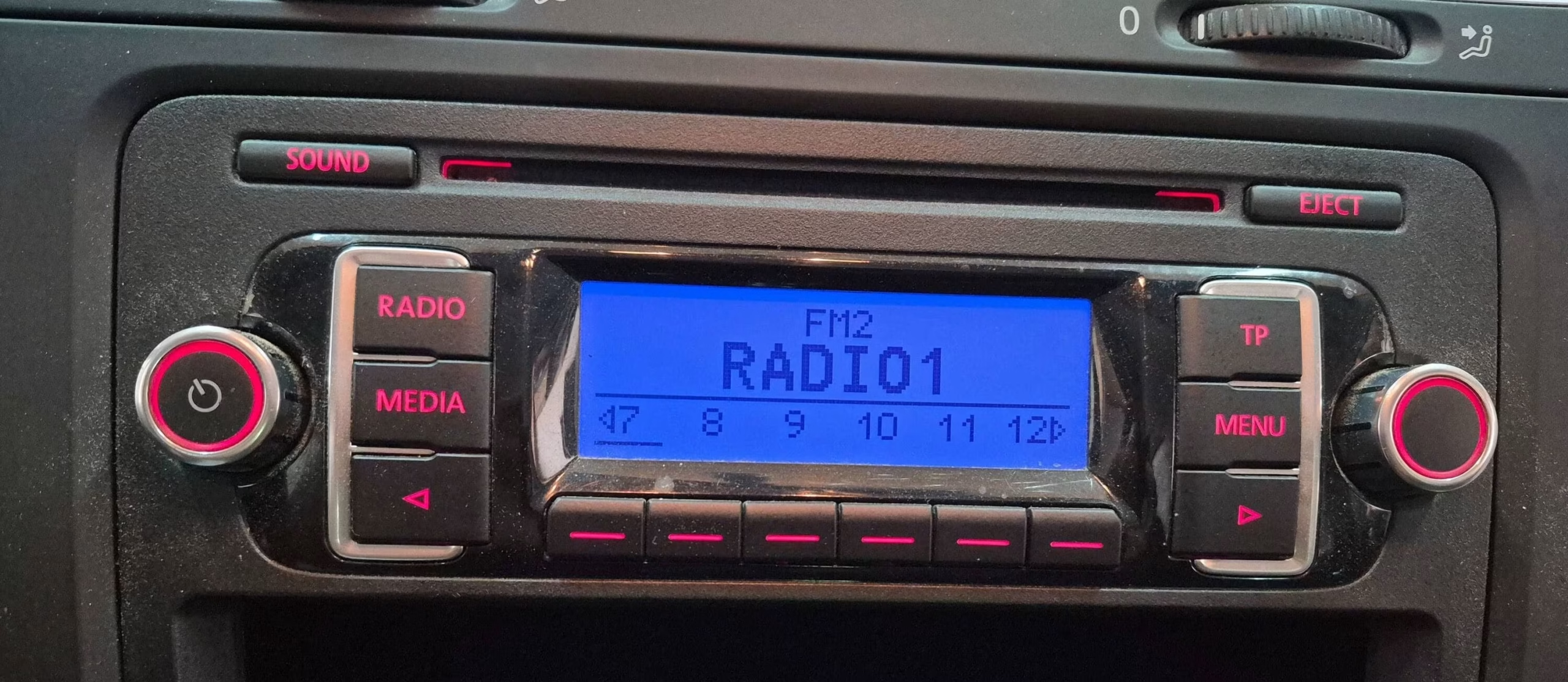
Volkswagen RCD 210 display in SAFE mode requesting the original security PIN.
Photograph the whole label
Take a sharp photo in good light before reinstalling the unit. Include the serial, part number and barcode area.
Keep every character
Do not remove the VWZ prefix or guess a faded digit. One incorrect character can produce a mismatch.
Use the radio details
The VIN belongs to the vehicle and does not replace the serial printed on a replacement radio.
How the VW RCD 210 radio code service works
1. Locate the serial
Read the identification label and note the complete serial without missing characters.
2. Submit the details
Enter the serial, check it against your photo and complete the secure online order.
3. Receive your PIN
Once processed, the RCD 210 security code is sent to the email used during checkout.
What is the Volkswagen RCD 210?
The RCD 210 is a compact Volkswagen factory audio unit used across a range of vehicles. It is generally recognised by its monochrome display, physical preset buttons and straightforward radio or CD controls. Equipment can vary by model year and market, so two units may not have identical faceplates or functions.
Each protected unit has its own security identity. A code from another RCD 210, even one that looks identical, should not be assumed to work. The correct request must be based on the identification details belonging to the radio installed in your vehicle.
Why is my RCD 210 asking for a code?
Volkswagen radio security systems are designed to make removed units more difficult to reuse. When the RCD 210 loses power or its recognised vehicle connection, it may display SAFE and request its PIN before normal audio operation returns.
Flat battery
A complete loss of power can activate the security screen.
Battery replacement
Disconnecting the old battery can make the radio request the existing code again.
Radio replacement
A second-hand unit retains its own serial and security PIN.
Electrical repair
The radio may have been unplugged while the dashboard or wiring was serviced.
Incorrect attempts
Repeated guesses can activate a waiting period before another entry is allowed.
Unit removal
Disconnecting the radio from the vehicle may trigger anti-theft verification.
RCD 210 serial number versus vehicle VIN
The VIN identifies the car, while the serial identifies the radio. This distinction is important when a vehicle has received a replacement unit. A replacement radio keeps its own serial and code even after being installed in another Volkswagen.
How to enter the VW RCD 210 radio code
Make sure the vehicle battery is sufficiently charged and the radio can remain powered. Turn on the ignition as required, switch on the RCD 210 and wait for the code-entry screen.
On many Volkswagen radios with physical preset keys, buttons 1, 2, 3 and 4 adjust the corresponding digits. Press each button until the correct number appears. Check all four digits carefully before confirming.
The confirmation control can vary with the exact version and faceplate. Follow the instructions for your own unit rather than trying random button combinations.
Volkswagen models commonly associated with the RCD 210
Actual fitment depends on model year, market, trim and previous modifications. Confirm the model name on the radio label before ordering.
- Volkswagen Golf
- Volkswagen Golf Plus
- Volkswagen Polo
- Volkswagen Passat
- Volkswagen Jetta
- Volkswagen Caddy
- Volkswagen Touran
- Volkswagen Tiguan
- Volkswagen Sharan
- Volkswagen Eos
- Volkswagen Scirocco
- Volkswagen Transporter
Related Volkswagen radio code guides
Why use RadioCodePro?
Order from home
Submit the radio details online without arranging a dealership appointment.
Clear serial guidance
Reduce mistakes by checking the model and complete identification label.
Email delivery
Keep the result safely stored for future battery work.
VW RCD 210 radio code FAQ
Where is the RCD 210 serial number?
It is normally printed on the identification label attached to the top, side or rear of the radio.
Can I get the code using only the VIN?
For this serial-based service, use the details printed on the radio itself. A replacement unit retains its own serial and PIN.
Why does the display show SAFE?
SAFE means the anti-theft protection is active after power loss, removal or incorrect code attempts.
Does changing the battery create a new code?
No. It may make the radio request its existing PIN again, but it does not normally create a new one.
Can I use a code from another RCD 210?
No. Similar-looking radios can have different serials and security codes.
What should I do after several wrong attempts?
Stop guessing. Keep the unit correctly powered and wait until it allows another entry before trying the verified code.