Ford Ka Radio Code Generator by Serial Number
Has your stereo locked after a battery disconnect or flat battery? Getting a Ford Ka radio code is quick, affordable, and 100% guaranteed. Recover your original 4-digit security PIN instantly using your unit’s serial number.
Our automated decoding system supports all factory-fitted audio systems, including the popular Ford Ka 6000 CD radio code units, 5000 RDS models, as well as Ford Ka M serial radio code and Ford Ka V serial radio code lookups.
Unlock Your Ford Ka Radio
Enter your Ford Ka radio serial number below:
How to get your Ford Ka radio code by serial number
To retrieve your key code, you need the unique serial number of your audio unit. In many Ford Ka cars, you can display this code directly on the screen without taking the dashboard apart. If the screen shortcut doesn’t display your serial, pulling the unit forward reveals the sticker printed on the metal casing.
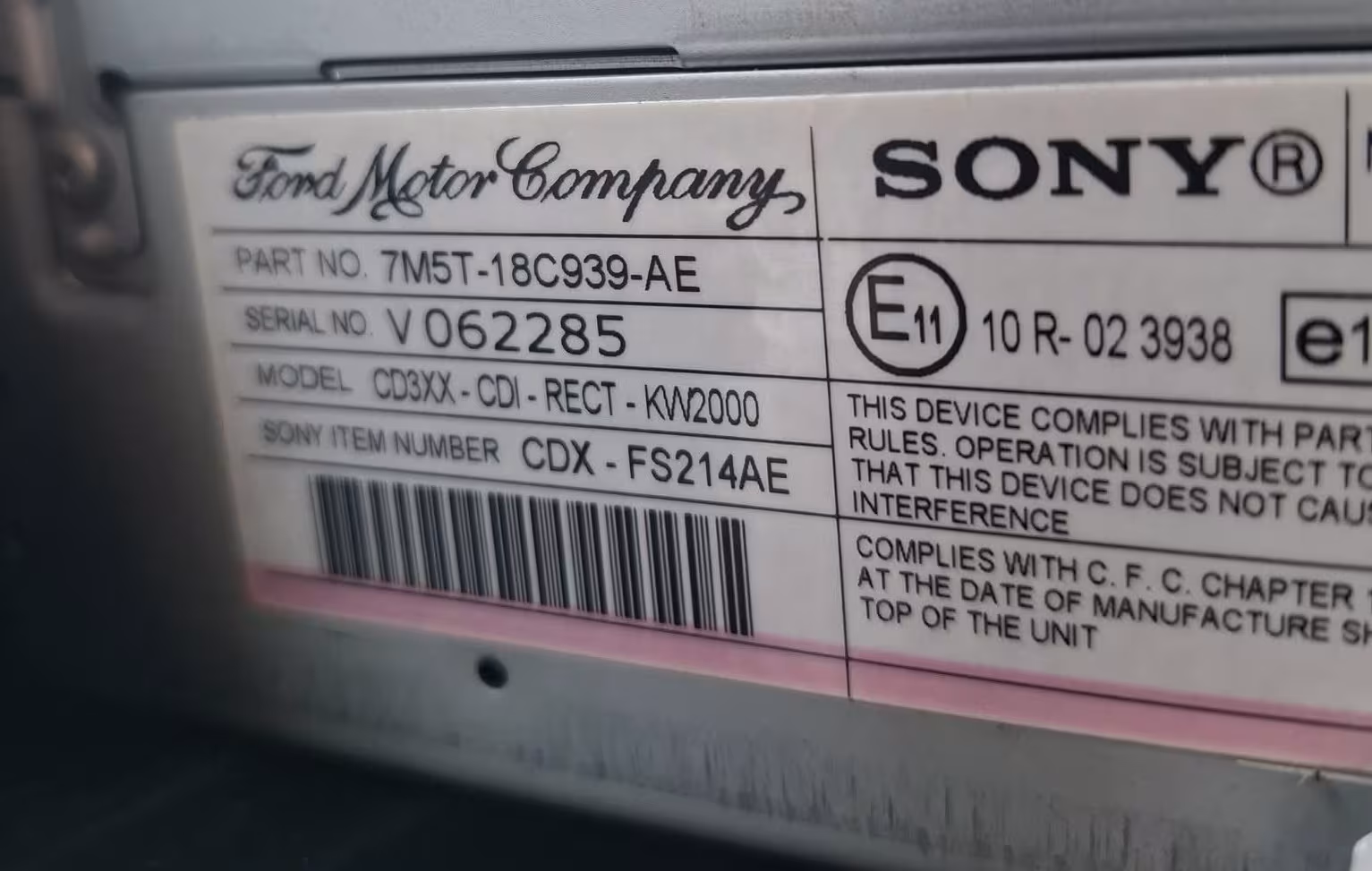
Example of a Ford stereo unit showing a V series serial number on label.
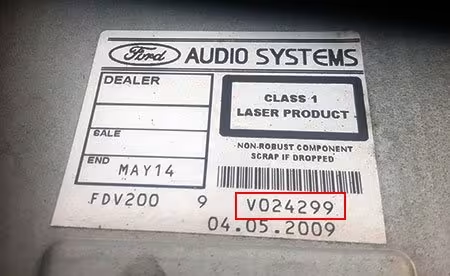
Example of a Ford radio removed showing the serial label on the metal casing.
Method 1: Screen Shortcut (1 & 6)
Switch on your Ford Ka radio, then press and hold buttons 1 and 6 together for 2-3 seconds. The screen will scroll through software data and end with your serial number (e.g. V123456).
Method 2: Screen Shortcut (2 & 6)
If 1 & 6 does not work on older 5000 RDS or cassette models, try holding buttons 2 and 6 simultaneously to display the M or V serial number.
Method 3: Rear Casing Label
If the screen method fails, insert Ford radio removal keys into the slot holes on either side of the stereo. Slide the unit out to locate the printed white sticker with your serial number.
Understanding Ford Ka V Serial and M Serial radio codes
When searching for a Ford Ka radio code by serial number, your code will start with one of two primary letter prefixes depending on the year of manufacture:
Ford Ka V Serial Radio Code
Found on most Ford Ka models produced after 2004. These serials start with the letter V followed by 6 digits (e.g. V019283 or V582910).
Ford Ka M Serial Radio Code
Common on earlier Ford Ka models (mk1 and early mk2). These serials start with the letter M followed by 6 digits (e.g. M123456 or M009482).
Ford Ka 6000 CD Radio Code
The standard CD player unit in most Ford Ka vehicles. Fully supported whether it uses an M serial or V serial code database.
1. Turn on the ignition and power on the radio until
CODE or 0000 appears on screen.2. Press button 1 repeatedly until the first digit of your PIN is displayed.
3. Press button 2 for the second digit, button 3 for the third, and button 4 for the fourth digit.
4. Once the full 4-digit code is visible, press button 5 (or 6 on certain models) to confirm and unlock your stereo.
Supported Ford Ka radio models
Our database provides instant codes for all original stereos fitted across every generation of Ford Ka (Mk1, Mk2, and Ka+):
- Ford Ka 6000 CD Radio
- Ford Ka 5000 RDS / 4000 RDS
- Ford 3000 Traffic / 1500 RDS
- Ford Ka Sony CD & MP3 Stereo
- Ford Ka+ Factory Audio System
- Ford Sound 2000 Series
Check our dedicated guides for Ford Fiesta, Ford Focus, Ford 6000 CD, or Ford Mondeo.
Why choose RadioCodePro for your Ford Ka radio code?
Avoid Dealership Costs
Main dealerships often charge excessive fees and require booking an appointment just to retrieve a standard radio PIN.
Instant Online Delivery
Get your code delivered directly to your email inbox within minutes, 24 hours a day, 7 days a week.
Guaranteed Accurate
All codes are generated directly from official Ford audio databases. If your code doesn’t work, we offer a 100% money-back guarantee.
Ford Ka radio code FAQ
How do I find my Ford Ka radio serial number on screen?
For Ford Ka models equipped with 6000 CD or 5000 RDS units, press and hold buttons 1 and 6 (or 2 and 6) together. The serial number will scroll across the screen, starting with V or M followed by 6 digits.
What is the difference between Ford Ka V serial and M serial radio codes?
M serial numbers belong to older Ford Ka models, while V serial numbers are found on mid-to-later model stereos. Both V serial and M serial radio codes can be generated instantly online using your serial number.
How do I enter the unlock code into a Ford Ka 6000 CD stereo?
Repeatedly press button 1 for the first digit, button 2 for the second, button 3 for the third, and button 4 for the fourth digit. Once your 4-digit code is shown correctly on the screen, press button 5 to confirm.
What should I do if my Ford Ka radio displays WAIT or LOCKED?
If WAIT is displayed, leave the stereo powered ON for 30 to 60 minutes until the timer resets. If LOCKED appears, holding button 6 may grant final attempts, but entering incorrect codes too many times permanently locks the unit.