Ford 6000 CD Radio Code Generator
If your Ford 6000 CD radio is asking for a code after a flat battery, battery replacement or radio removal, you are not stuck. In most cases, the correct code can be recovered from the serial number of the radio.
The Ford 6000 CD is very common on UK Ford models such as Focus, Fiesta, Transit, Mondeo and C-Max. Most units use a serial number starting with M or V.
Enter Your Ford 6000 CD Serial
Type the serial number shown on the radio screen or printed on the radio label.
Ford radio · Not a Ford? Change the make
Tip: many Ford 6000 CD radios show the serial after holding buttons 1 + 6 or 2 + 6.
How to Find the Serial Number on a Ford 6000 CD
Before ordering the code, you need the radio serial number. On many Ford 6000 CD units, you can display it on the radio screen by holding buttons 1 and 6 together for a few seconds. If nothing useful appears, try 2 and 6.
The serial usually looks like M123456 or V123456. If the buttons do not show the serial, the safest option is to remove the radio slightly and read the sticker on the top, side or back of the unit.
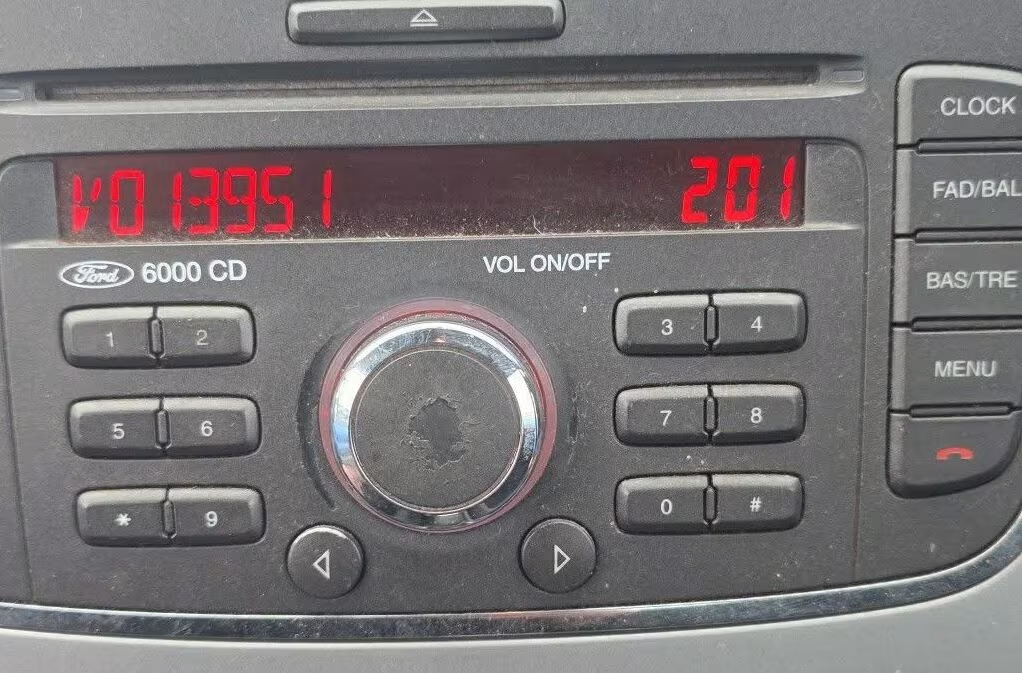
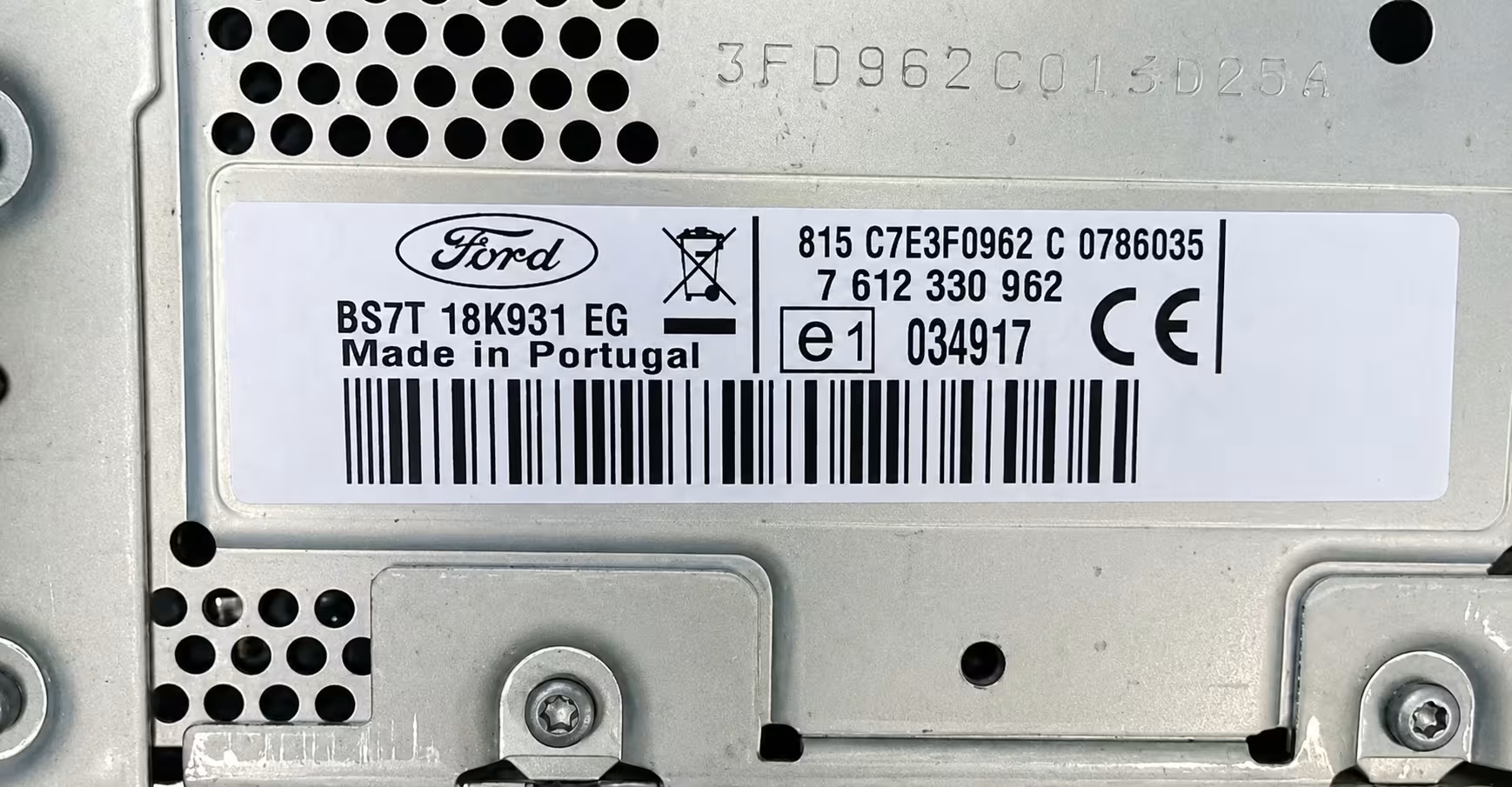
Common Ford 6000 CD Serial Examples
These are only examples, but your serial number should look similar. Enter the full serial exactly as shown, because one wrong digit can lead to the wrong code.
Why Your Ford 6000 CD Is Asking for a Code
The Ford 6000 CD has an anti-theft system. When the radio loses power, it may lock itself and ask for the original four-digit code before it starts working again.
This usually happens after a battery replacement, a flat battery, electrical work, radio removal, or after buying a used Ford where the code was not written in the handbook.
Do not try random codes
If the radio shows CODE, WAIT or LOCKED, avoid guessing. Too many wrong attempts can make the radio lock for longer.
How It Works
Find the serial
Use 1 + 6, 2 + 6, or check the sticker on the Ford 6000 CD radio casing.
Enter it online
Type the serial exactly as shown, for example M123456 or V123456.
Receive the code
Once processed, the Ford 6000 CD code is sent by email with simple instructions.
Ford Models That Often Use the 6000 CD Radio
The 6000 CD unit was fitted in many Ford vehicles, especially older UK and European models. The vehicle model helps, but the radio serial number is the important detail.
Before You Enter the Code
Make sure your serial number is correct before ordering. If the serial appears on the screen, take a clear photo of it. If you are using the label, check that you are copying the serial number and not the part number.
If your Ford 6000 CD shows WAIT or LOCKED, leave the radio switched on until it allows you to enter the code again. Do not keep pressing random numbers.
Ford 6000 CD Radio Code FAQ
What serial number do I need for a Ford 6000 CD?
Most Ford 6000 CD radios use a serial number starting with M or V, followed by six digits. Examples: M123456 or V123456.
Can I get the Ford 6000 CD serial without removing the radio?
Often yes. Try holding buttons 1 + 6 together. If that does not show the serial, try 2 + 6. If neither works, check the label on the radio casing.
Is the Ford 6000 CD code four digits?
Yes, the Ford 6000 CD normally uses a four-digit security code.
Does this work for Ford Focus and Fiesta?
Yes, many Ford Focus and Ford Fiesta models came with the 6000 CD radio. You still need the serial number from the actual radio.
What if my Ford radio says LOCKED 13?
LOCKED 13 usually means too many wrong attempts were made. Do not continue guessing codes, because the unit may need extra waiting time or extra steps.
How to Enter Your Ford 6000 CD Code
After you receive the correct code, use the preset buttons on the radio to enter each digit. On many Ford 6000 CD units, button 1 changes the first digit, button 2 changes the second digit, and so on.
Once the correct numbers are displayed, confirm the code using the radio button shown in your manual, often button 5 or the main select button depending on the unit.
External YouTube tutorial showing how to enter a Ford radio security code.