Nissan Note Radio Code by Serial Number
Nissan Note Radio Code by Serial Number
Radio gone quiet after a flat battery, a battery swap, or a Note you’ve just bought secondhand? Recover the correct unlock code online using the serial number from the label, or straight from the display if your Note runs a Nissan Connect system.
Covers Note factory units from Clarion, Blaupunkt and Daewoo, plus Nissan Connect, Connect 2, Connect 3 and LCN infotainment systems, fitted across both Note generations built between 2005 and 2016.
Get Your Note Radio Code
Nissan radio · Not a Nissan? Change the make
Use the serial number from your radio label, or the serial, device number and date shown on screen after a lockout.
Nissan Note Radio Code Service
Nissan fitted a handful of different factory radio brands to the Note over the years, so how you find your details really depends on which one landed in your car. Clarion and Blaupunkt units carry a printed serial on a label, while Nissan Connect and LCN systems reveal their details directly on the screen once the radio locks itself.
Because the formats look so different from one brand to the next, it’s worth checking which type is fitted in your Note before ordering, so the right serial gets used the first time round.
Clarion Note Radios
Common across both Note generations.
- CL serial numbers
- PN serial numbers
- PP serial numbers
Blaupunkt Note Radios
Blaupunkt units usually show a BP serial on the radio label.
- BP + 12 characters
- Printed above the barcode
- Found on the top or side label
Nissan Connect / LCN
Newer Note Connect systems display details on screen.
- Serial number
- Device number
- Date shown on screen
How to Find Your Nissan Note Radio Serial Number
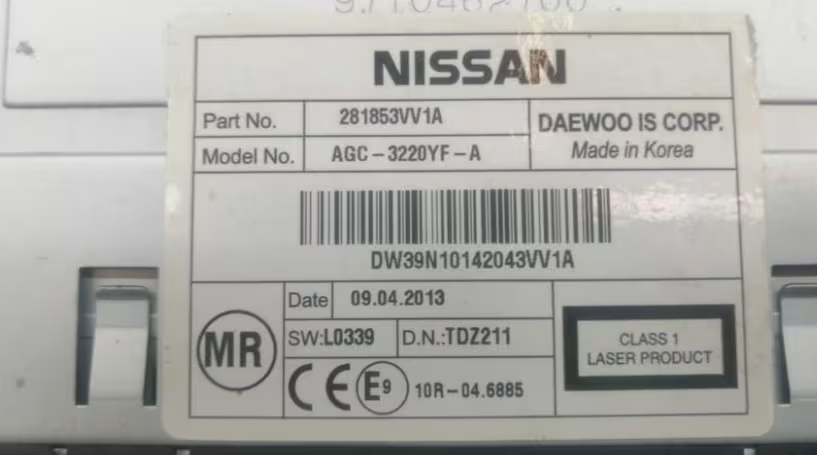
Clarion, Blaupunkt and Daewoo units need to be released from the dashboard using a set of radio release keys before the label can be read — nothing needs unplugging, the unit simply slides forward far enough to reveal the sticker on its casing. Nissan Connect and LCN systems skip all of that; the details you need show up directly on the screen instead.
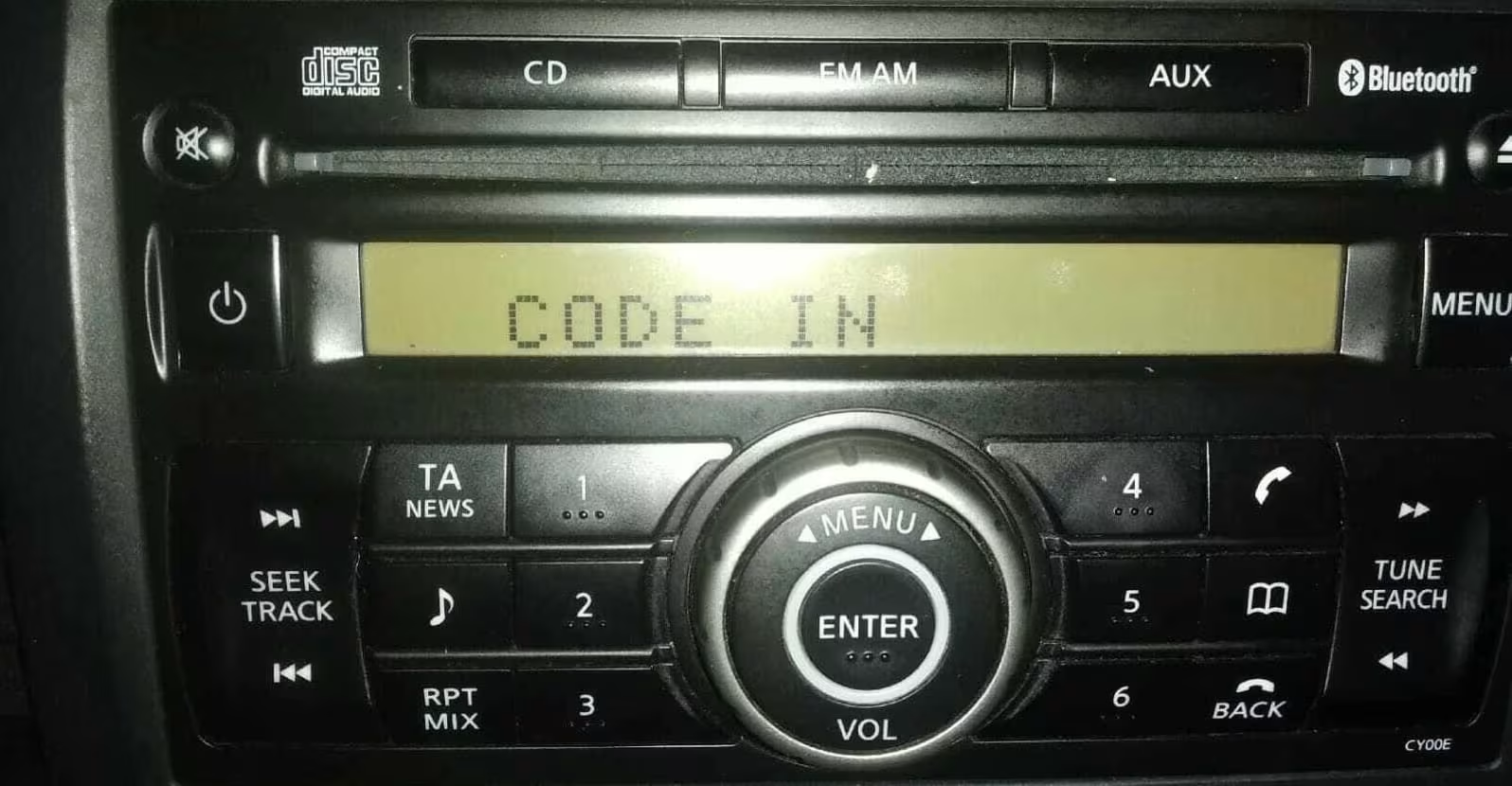
Nissan Connect / LCN Note (Screen Method)
Turn the ignition to ACC and switch on the radio without starting the engine. Enter any incorrect 4-digit code three times — 0000 works fine for this. The screen locks and displays the serial number, device number and date all at once.
Write down all three exactly as shown, since every one of them is needed to generate the correct Note radio code. Only the details on screen count here — the label on the back of the unit isn’t used for Connect and LCN systems.
Common Nissan Note Serial Number Examples
These are examples only, but your Note’s radio serial should follow a similar shape depending on the unit fitted. Always copy the serial exactly as shown.
Nissan Note Generations We Cover
Whichever Note you’re driving, the radio type — not the exact model year — is what decides how the recovery works.
Note E11 (2005-2013)
Commonly fitted with Clarion, Blaupunkt or Daewoo factory radios using label serials.
Note E12 (2013-2016)
Mix of Clarion units and Nissan Connect systems, depending on trim level.
Connect & LCN Systems
Screen-based lockout, showing serial, device number and date once triggered.
How It Works
How to Enter the Nissan Note Radio Code
With CODE or a row of dashes on the display, press preset button 1 repeatedly until the first digit is correct, then move to button 2 for the second digit, button 3 for the third, and button 4 for the fourth. Confirm the code once all four digits match.
Take your time with each digit — entering the code too quickly or guessing at digits can trigger a waiting period before your next attempt, so it pays to have the correct code confirmed before you start.
Nissan Note Radio Code FAQ
Can I get my Nissan Note radio code online?
Yes. Most Nissan Note radio codes can be recovered online using the serial number, whether it’s printed on the radio label or shown on screen after a lockout.
Where is the serial number on a Nissan Note radio?
On Clarion, Blaupunkt and Daewoo units the serial sits on a label on the top or side of the casing, visible once the radio is slid out with release keys. On Nissan Connect systems the details appear on screen instead, without removing anything.
How do I display the serial on a Nissan Connect Note radio?
Turn the ignition to ACC and switch on the radio, then enter any incorrect 4-digit code three times. The screen locks and shows the serial number, device number and date, which are the only details that work for these units — the label on the back plays no part.
What does a Nissan Note radio serial number look like?
Clarion serials start with CL, PN or PP, Blaupunkt serials start with BP, and Daewoo units use serials starting with DW or DS, each followed by a run of letters and digits.
Does this cover both Note generations?
Yes. We cover the E11 and E12 Note built between 2005 and 2016, since the recovery method depends on which radio brand is fitted rather than the exact model year.
Will the code still work if my Note’s radio locks again in future?
Yes. The code is permanently tied to your specific radio unit and never changes, so the same code will unlock it again after any future flat battery or power loss.