Skoda Radio Code Generator by Serial Number
Changed the battery and now the stereo is stuck on SAFE? It happens to almost every Skoda owner at some point. Send us the serial from your radio and we’ll get you the 4-digit Skoda radio code by email, usually within the hour.
We cover the radios Skoda actually fitted: Swing, Bolero, Blues, Stream, Amundsen, Columbus and the newer RCD and RNS units, across Octavia, Fabia, Superb, Yeti and the rest of the range.
Unlock Your Skoda Radio
Enter your Skoda radio serial number below:
Skoda radio · Not a Skoda? Change the make
How to find your Skoda radio serial number
Unlike some other brands, Skoda doesn’t give you a handy button shortcut for showing the serial. You’ll need to take the radio out for a minute. It’s easier than it sounds, and it’s the only reliable way to read the right number.
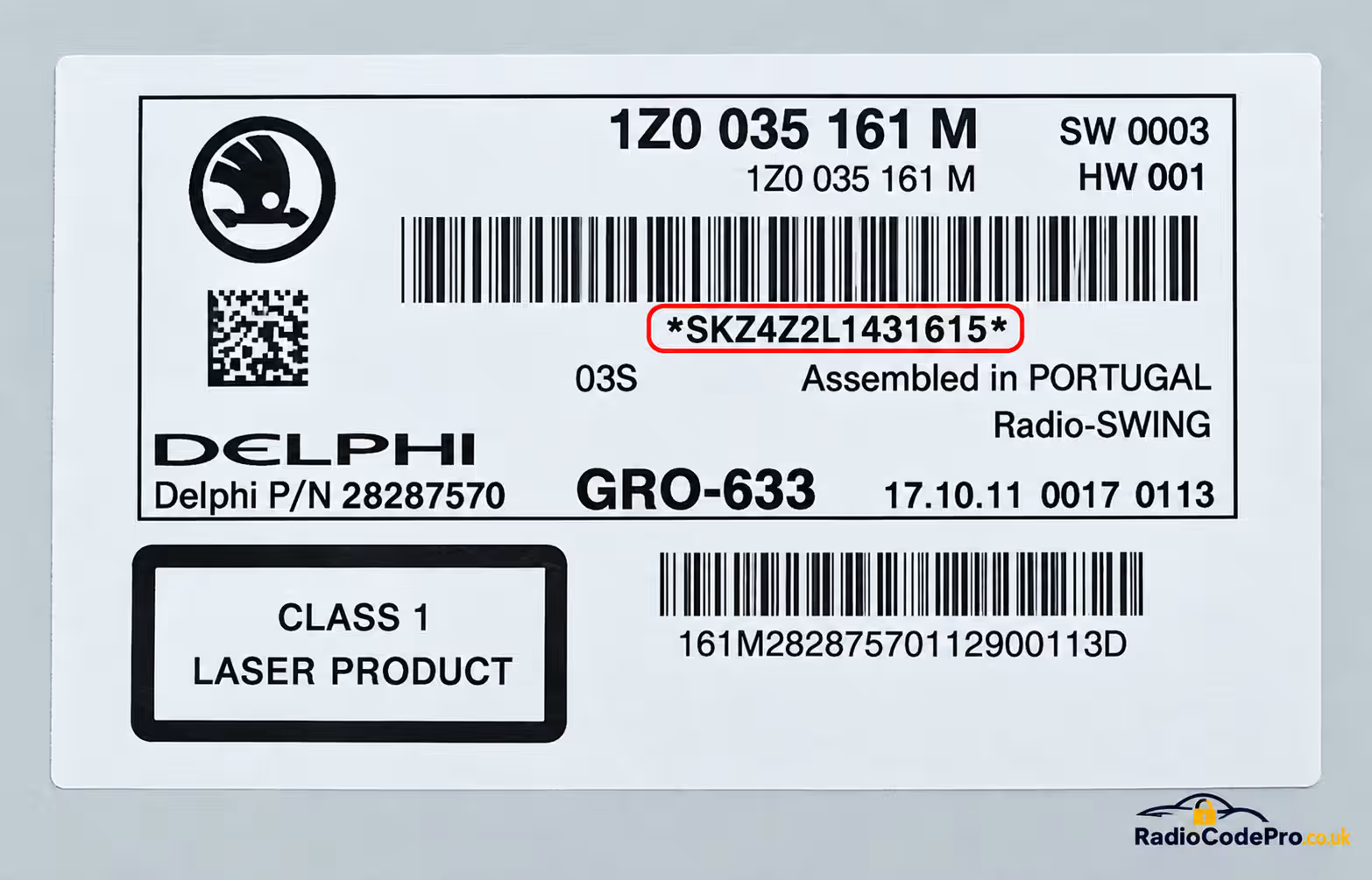
The SKZ serial is printed on the label on the side of the radio, next to the barcodes.
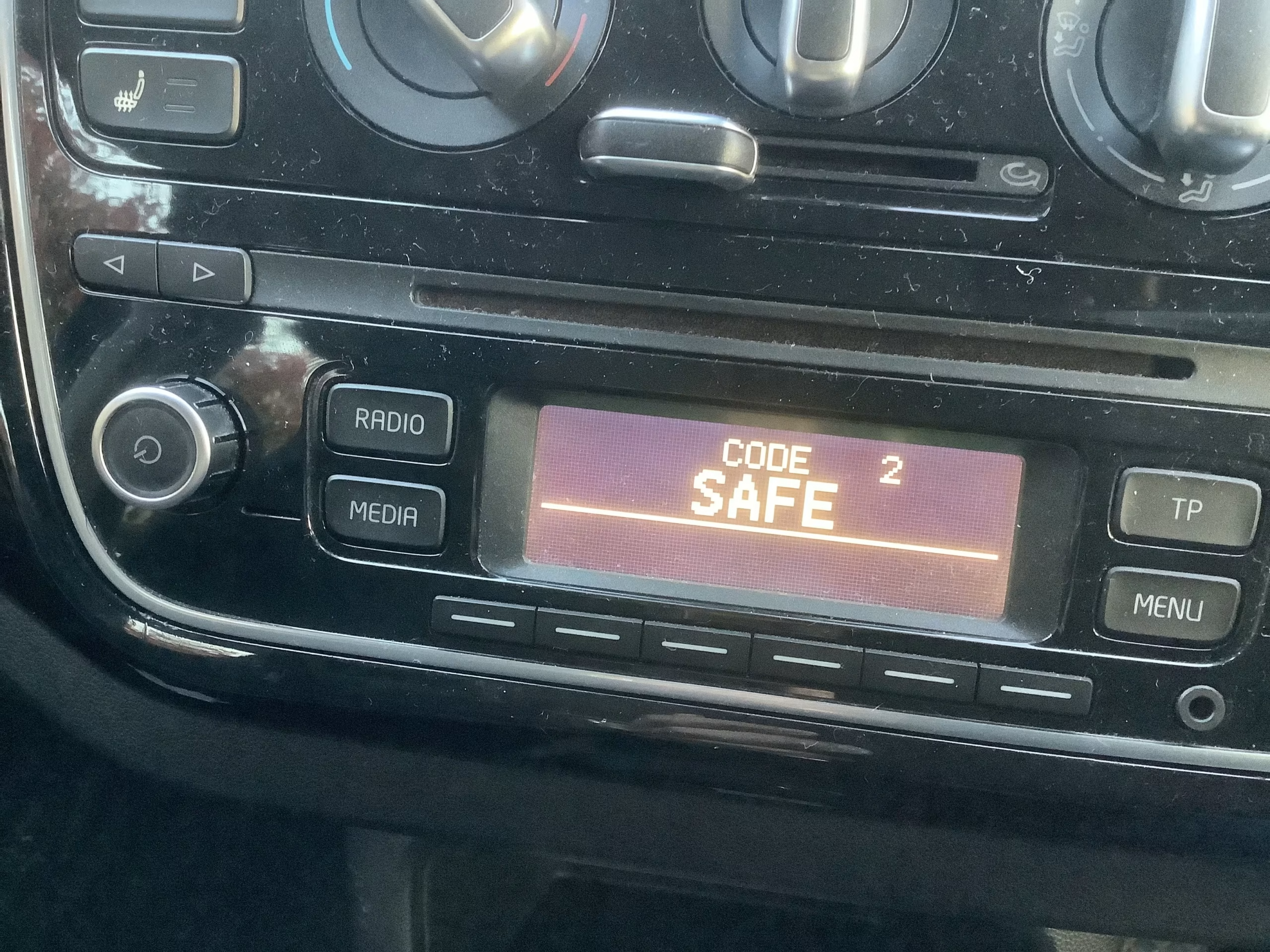
A Skoda radio locked in SAFE mode, which is when you’ll need the code.
Step 1: Take off the trim
Gently lever off the plastic surround. Wrap a cloth around a trim tool so you don’t mark the dash.
Step 2: Pull the radio out
Most Skoda units use clips or removal keys. Slide it forward just enough to see the side of the casing. You don’t need to unplug it.
Step 3: Read the SKZ label
Look for the sticker starting with SKZ. Copy all 14 characters exactly. Don’t confuse it with the part number or the VIN.
Which Skoda radios do we cover?
Skoda used several different head units over the years, and the name on the front tells you roughly what you’ve got:
Swing, Blues & Bolero
The everyday CD and MP3 radios in Fabia, Octavia and Superb. By far the most common ones we see locked.
Stream, Amundsen & Columbus
The bigger screen and navigation units, including the RCD 210, 310 and 510, plus RNS 310, 315 and 510 sat nav.
Older Skoda stereos
Gamma, Beta, Symphony, Melody and similar units from earlier Octavia and Fabia models.
1. Switch the ignition on and turn the radio on until it asks for a code (you’ll see
CODE or 1000).2. Press preset button 1 until the first digit is right, then 2, 3 and 4 for the next digits.
3. Confirm with OK, or hold the confirm button the display points to (on older units that is usually button 5). The radio should come back to life.
Careful: too many wrong tries and it shows
SAFE. Leave the radio on for about 60 minutes before the next attempt.
Supported Skoda models
If your Skoda came with a factory radio, there’s a good chance we can help:
- Skoda Octavia (Mk1, Mk2, Mk3)
- Skoda Fabia (Mk1, Mk2, Mk3)
- Skoda Superb
- Skoda Yeti & Roomster
- Skoda Rapid & Citigo
- Skoda Felicia & early models
Skoda shares its radios with the rest of the VAG family. See our guides for Volkswagen, Seat or Audi.
Why get your Skoda code from RadioCodePro?
Skip the dealer queue
Booking a garage slot and paying dealer prices for a four-digit number isn’t much fun. Here it’s done online in a few minutes.
Quick and simple
Send the serial any time, day or night. Your code lands in your inbox, normally within the hour.
Money back if it fails
Double-check your serial first. If the code still doesn’t work, we refund you in full, no awkward questions.
Skoda radio code FAQ
Where do I find my Skoda radio serial number?
It’s on a sticker on the side of the radio casing, so you need to pull the radio out of the dash. It’s 14 characters long, starts with SKZ (for example SKZ1Z2A0123456), and is not the same as your VIN.
My Skoda radio shows SAFE. What now?
SAFE means the radio has locked itself, usually after a battery disconnect or too many wrong codes. Leave the ignition and radio on for about 60 minutes, then enter the correct code.
How do I enter the code on a Swing, Bolero or Blues radio?
Use buttons 1 to 4 to set each digit, then confirm with OK or the confirm button shown on the display. The exact confirmation step depends on the radio model.
Can I use my VIN instead of the serial?
No. We work from the SKZ serial on the radio itself, because it identifies the exact unit that is locked.