Fiat 500 Radio Code by Serial Number
Get Your Fiat 500 Radio Code Without a Dealer Visit
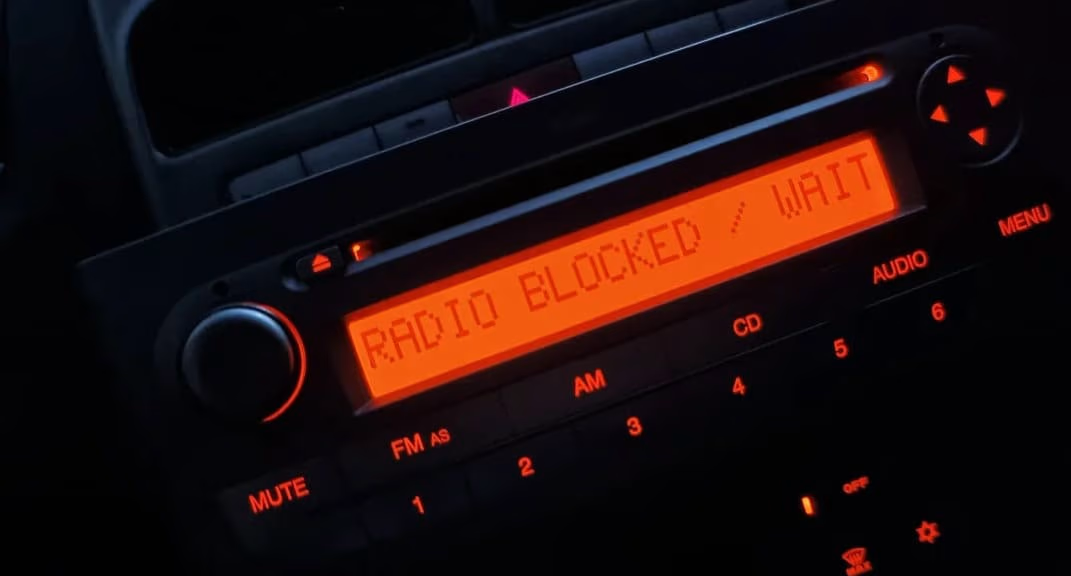
Battery gone flat, had some dashboard work done, or picked up a used 500 with the radio stuck on a lock screen? The unlock code can almost always be recovered from the serial number printed on the unit — no dealer booking, no service department markup.
This applies across Uconnect, Blue&Me, Connect Nav and the standard Continental head units fitted throughout the Fiat 500 range, from the original 2007 model right through to today’s Uconnect touchscreens.
Enter Your Fiat 500 Serial Number
Use the serial printed on the label after removing the radio from the dashboard.
Fiat radio · Not a Fiat? Change the make
Tip: standard units need PC5-132 release keys; Uconnect touchscreens need a trim tool and screwdriver.
How to Find Your Fiat 500 Radio Serial Number
The exact method depends on which unit is fitted, but neither route needs anything more than basic tools. For a standard head unit, get hold of a set of PC5-132 release keys — a cheap pair from Amazon does the job — and push them into the four holes at each corner of the radio. With gentle outward pressure, the unit slides straight out, no wires to disconnect.
Once it’s out, look for a sticker on the casing showing the serial number. Standard and Continental units typically start with BP followed by 12 digits, or 815CM followed by a mix of letters and numbers — for example BP237534082298.
If your 500 has an Uconnect touchscreen instead, the removal is slightly different: use a plastic trim tool to release the surround, then a Phillips screwdriver for the mounting screws before sliding the unit out. Uconnect serials are longer, usually starting with A2C or T00BE, followed by up to 19 characters.
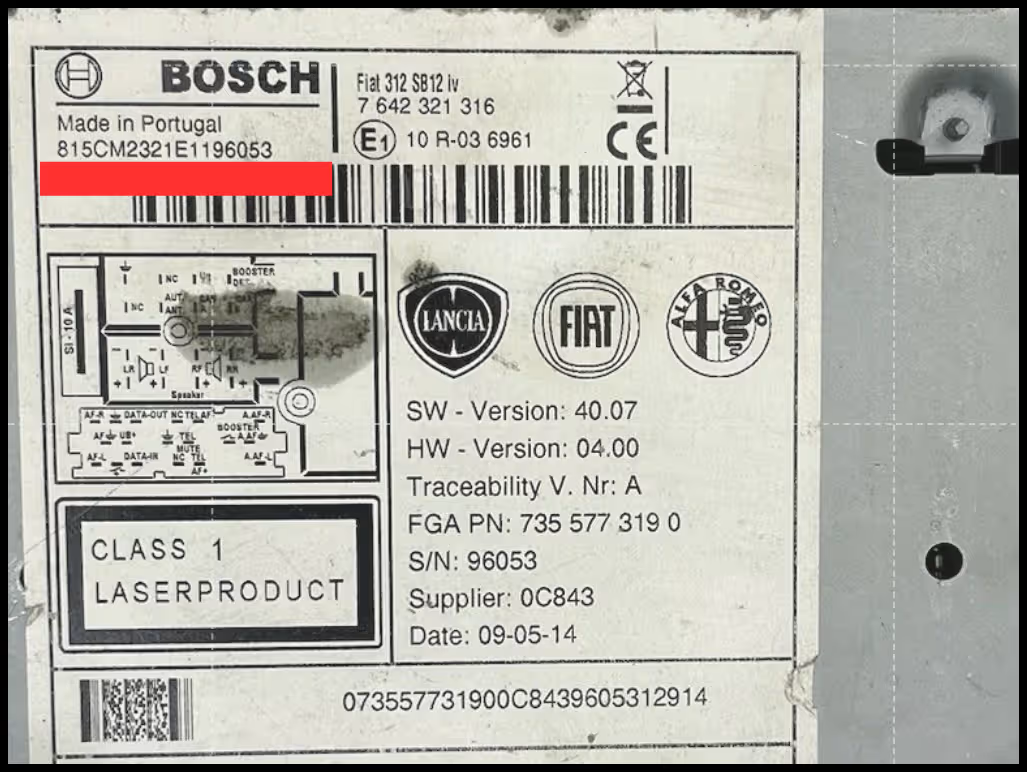
Worth knowing: Continental serials must be submitted in full, including the A2C or T00BE prefix — leaving it off is one of the most common reasons a code doesn’t work first time.
Fiat 500 Radio Units We Cover
Fiat fitted a fair mix of factory systems to the 500 over the years. Whichever one is in your car, the serial number is the detail that matters.
Why Does the Fiat 500 Radio Ask for a Code?
This is standard anti-theft behaviour, not a fault. Fiat’s factory radios lock themselves the moment power is cut — whether from a flat battery, a battery replacement, a jump start, or dashboard work — and stay locked until the original code is entered again.
Fiat’s infotainment lineage goes back to Blue&Me, which debuted on the Fiat Grande Punto in 2006 before rolling out across the range, including the 500. The current Uconnect platform succeeded it from 2012 onwards, but the underlying lock behaviour after a power loss has stayed largely the same across both generations.
Common Fiat 500 Serial Number Examples
These are examples only, but your 500’s serial should follow a similar format depending on the unit fitted. Always copy it exactly as shown, since one wrong character produces a different code.
How It Works
Find the serial
Release the radio using PC5-132 keys or a trim tool, then read the serial from the label on the casing.
Enter it online
Type your full serial exactly as shown, including any A2C or T00BE prefix.
Receive your code
Your Fiat 500 radio code is emailed to you, with simple instructions for entering it.
Entering the Code on Your Fiat 500
Most Fiat 500 units are entered using the steering wheel controls rather than the radio fascia itself, so switch on the ignition and follow the on-screen prompt to enter each digit.
If your steering wheel controls aren’t working, check the radio fascia first — some Continental units include directional or numeric buttons on the front panel that work as a fallback for code entry.
Fiat 500 Radio Code FAQ
Where do I find my Fiat 500 radio serial number?
It’s on a sticker on the casing, visible once the radio is released from the dashboard. Standard units use release keys, while Uconnect touchscreens need a trim prying tool and screwdriver instead.
What does a Fiat 500 radio serial number look like?
Formats vary by unit. Basic units often use a serial starting with BP followed by 12 digits, or 815CM followed by a mix of letters and numbers. Uconnect touchscreens typically use a longer serial starting with A2C or T00BE.
Do I need any special tools to remove the radio?
For standard units, a set of PC5-132 release keys pushed into the four corner holes is enough to slide the radio forward. For Uconnect touchscreens, a plastic trim tool and a Phillips screwdriver are usually needed instead.
How do I enter the code once I have it?
Most Fiat 500 units are entered using the steering wheel controls. If those aren’t working, check whether the radio fascia itself has directional or numeric buttons that can be used instead.
My code doesn’t seem to work. What should I check?
Double-check the serial prefix matches your unit type, since Continental serials must be entered in full, including the A2C or T00BE prefix. If everything looks correct and the code still fails, get in touch and we’ll check the details.
Which Fiat models does this cover besides the 500?
The same lookup method applies across the wider Fiat range, including Panda, Punto, Tipo, Ducato, Doblo, Bravo and more.