VW RCD 300 Radio Code
If your Volkswagen RCD 300 radio is showing SAFE or asking for a code, you can request the correct security code online using the serial number from the radio label.
The RCD 300 unit is commonly found in Volkswagen Golf, Passat, Touran, Polo, Caddy and other VW models. After a flat battery, radio removal or electrical repair, the unit may lock and ask for the original code.
Enter your RCD 300 serial
Most VW RCD 300 serial numbers start with VWZ.
Volkswagen radio · Not a Volkswagen? Change the make
Where to find the VW RCD 300 serial number
To retrieve the correct VW RCD 300 radio code, you need the serial number from the unit itself. This is normally printed on a sticker located on the top, side or back of the radio casing.
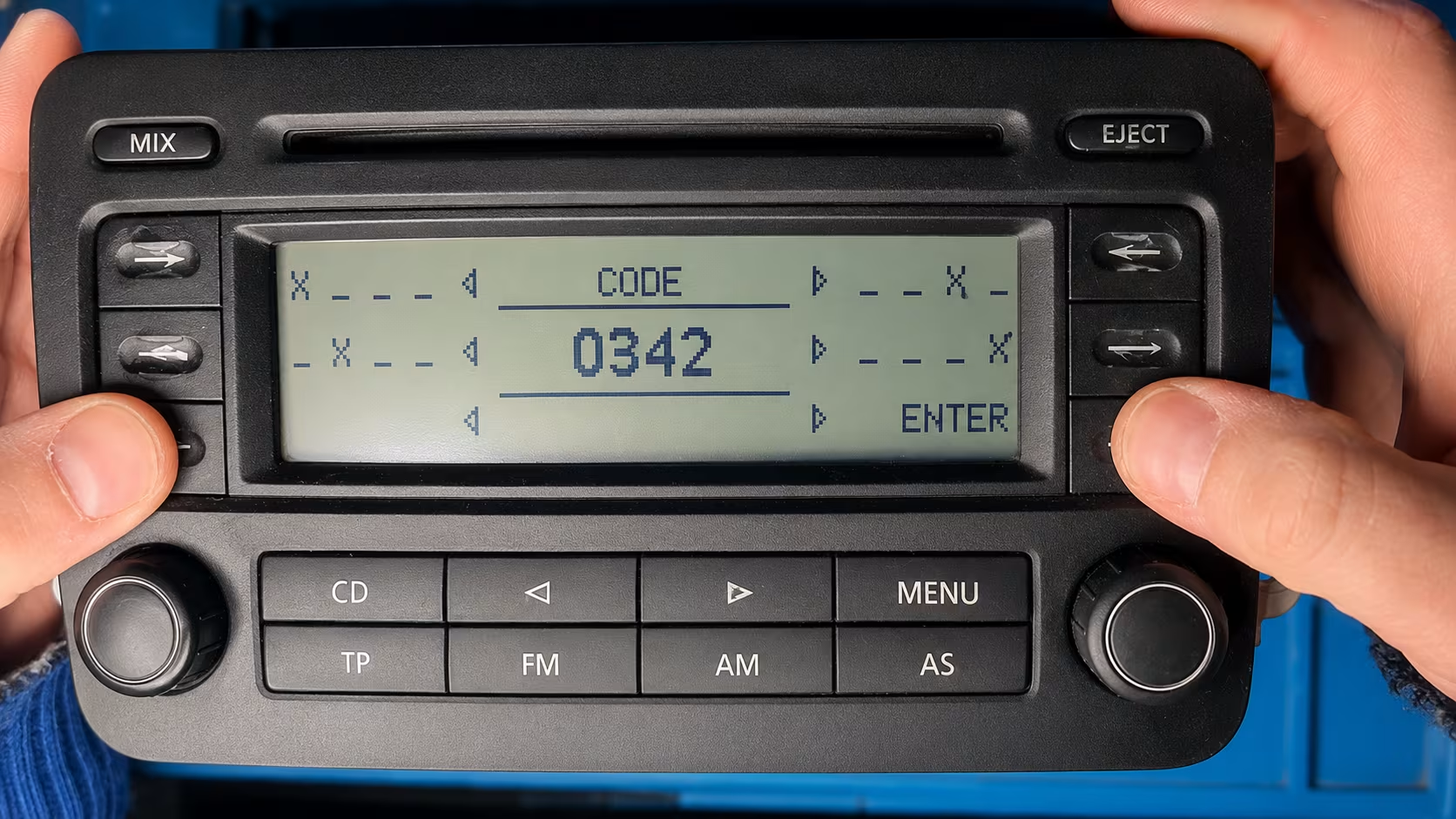
VW RCD 300 screen asking for the security code.
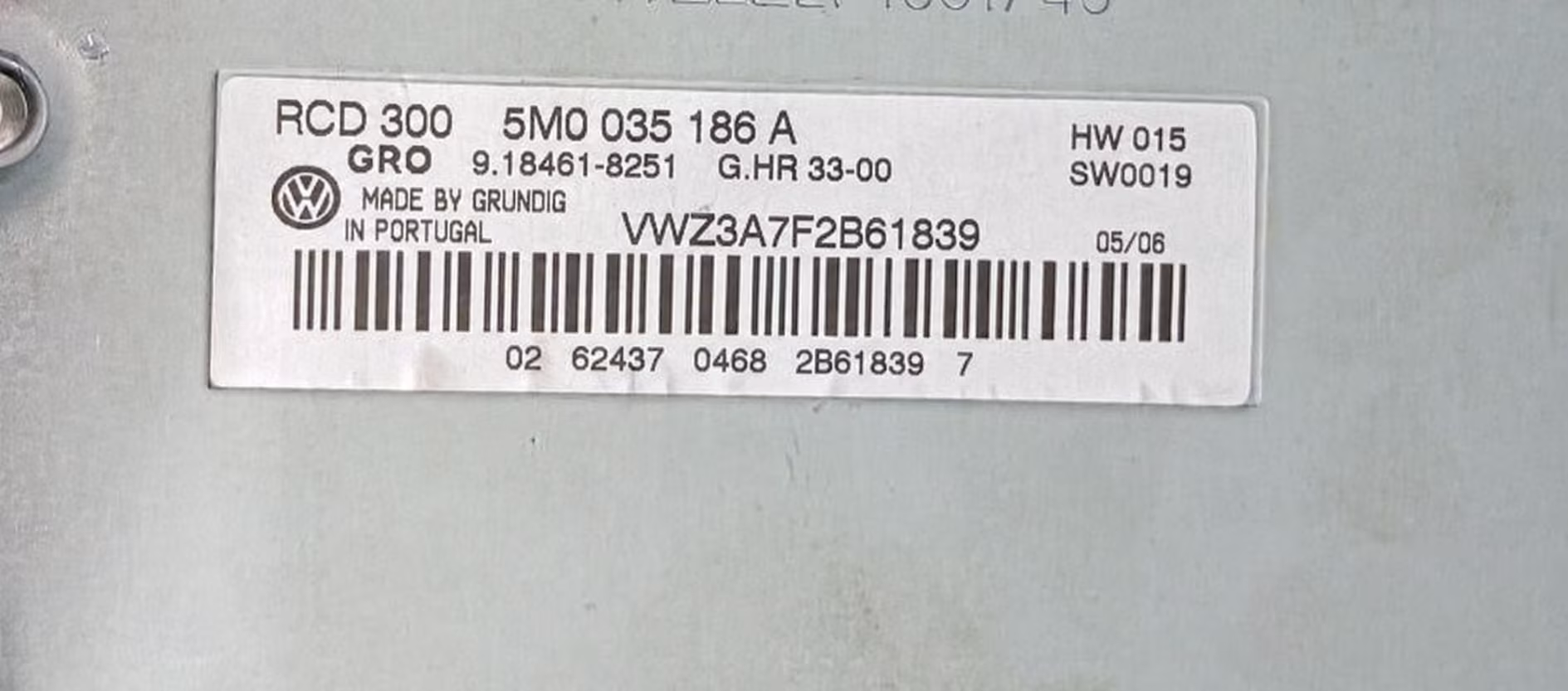
Example of an RCD 300 label with the VWZ serial number.
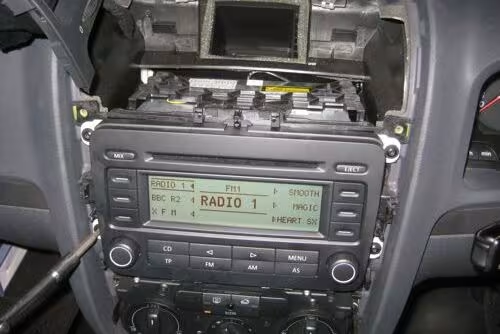
The radio may need to be removed slightly to read the label.
Look for VWZ
Most RCD 300 units have a serial number beginning with VWZ followed by letters and numbers.
Use the full serial
Do not enter only part of the serial. The full code from the label is needed.
Check the label photo
If the sticker is hard to read, take a clear photo before submitting the request.
Why is my RCD 300 asking for a code?
The Volkswagen RCD 300 has an anti-theft security system. When the battery is disconnected, replaced or completely flat, the radio can lose power and enter SAFE mode.
This can also happen after the radio has been removed from the dashboard, replaced with another unit, or after work has been done on the car’s electrical system.
Once the RCD 300 is locked, it will not play audio until the correct radio code is entered. Random codes should not be tried, because too many wrong attempts can make the unit wait longer before another attempt is allowed.
Volkswagen models that use the RCD 300 radio
The RCD 300 was fitted in many Volkswagen cars, especially older Golf, Passat and Touran models. If your unit looks like the photos above and the serial starts with VWZ, this page is likely the right place.
- Golf Mk5
- Golf Plus
- Passat B6
- Touran
- Polo
- Caddy
- Jetta
- EOS
- Tiguan
- Transporter
How the VW RCD 300 code process works
1. Find the serial
Remove the radio carefully and read the VWZ serial number from the label.
2. Submit the request
Enter the serial number in the code search form and complete the secure checkout.
3. Receive the code
The RCD 300 radio code is sent by email once it has been generated.
How to enter the RCD 300 radio code
Switch the radio on and wait until the code entry screen appears. Use the preset buttons to enter the four-digit code. On many VW units, each button changes the digit shown on the screen.
After the correct code is displayed, confirm it using the radio button combination required by your unit. If the radio is still showing SAFE, leave it powered on and wait until it allows another attempt.
Before you request your code
Please check the serial number carefully before placing your order. On RCD 300 radios, similar characters can sometimes be confused, especially when the label is old or scratched.
Common mistakes include mixing up 0 and O, 1 and I, or missing one character from the end of the VWZ serial. The code is generated from the radio information, so the serial must be correct.
VW RCD 300 radio code FAQ
Where is the serial number on a VW RCD 300?
The serial number is usually printed on a label on the top, side or back of the radio unit. It often starts with VWZ.
Can I get the RCD 300 code without the serial number?
In most cases, the serial number is required. It is the safest way to match the correct code to the radio.
Why does my radio say SAFE?
SAFE mode usually appears after the battery has been disconnected, the radio was removed, or the unit lost power.
Does this work for Golf and Passat RCD 300 radios?
Yes, many Golf, Passat, Touran, Polo and Caddy vehicles used the RCD 300 radio unit.
What if the code does not work?
First check that the serial number was entered correctly. If needed, send a clear photo of the radio label so the details can be checked.