Dacia Jogger Radio Code by VIN Number or Security Code
Has the radio in your Dacia Jogger locked itself after a flat battery, a jump start, an electrical repair or a new unit? You can request the correct unlock code online, using either your vehicle’s VIN number or the short security code shown on the radio label.
On most Dacia Jogger vehicles the VIN begins with UU1, for example UU1JSDK0854027193, though some units carry a VIN starting with VF1 instead. Certain radios also display a short security code, such as J612, which is used to look up the final unlock code.
Enter your Jogger VIN or security code
Use the full chassis number or the code printed on the radio label.
Dacia radio · Not a Dacia? Change the make
Where to find the VIN or security code on a Dacia Jogger
A Jogger’s audio unit is tied either to the car’s own vehicle data or to a short pre-code stamped onto the radio housing itself. If your paperwork is close at hand, the VIN number is usually the quickest route. Most Dacia chassis numbers start with UU1, though some Jogger units — especially those built alongside Renault models — carry a VIN starting with VF1 instead. Either format works for a code request, as long as the full number is entered.
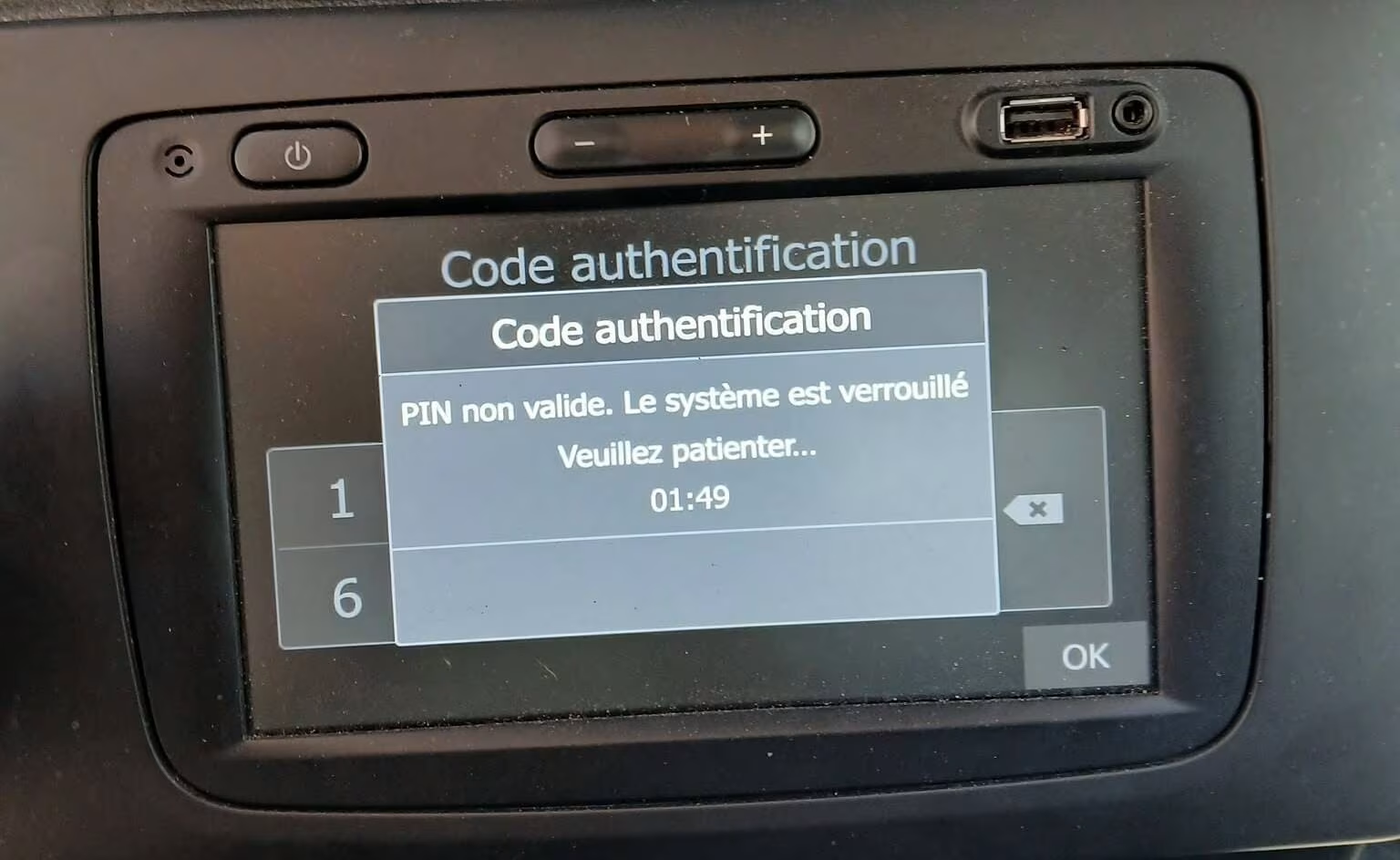
Example of a Dacia Jogger radio screen requesting the security code after a power loss.
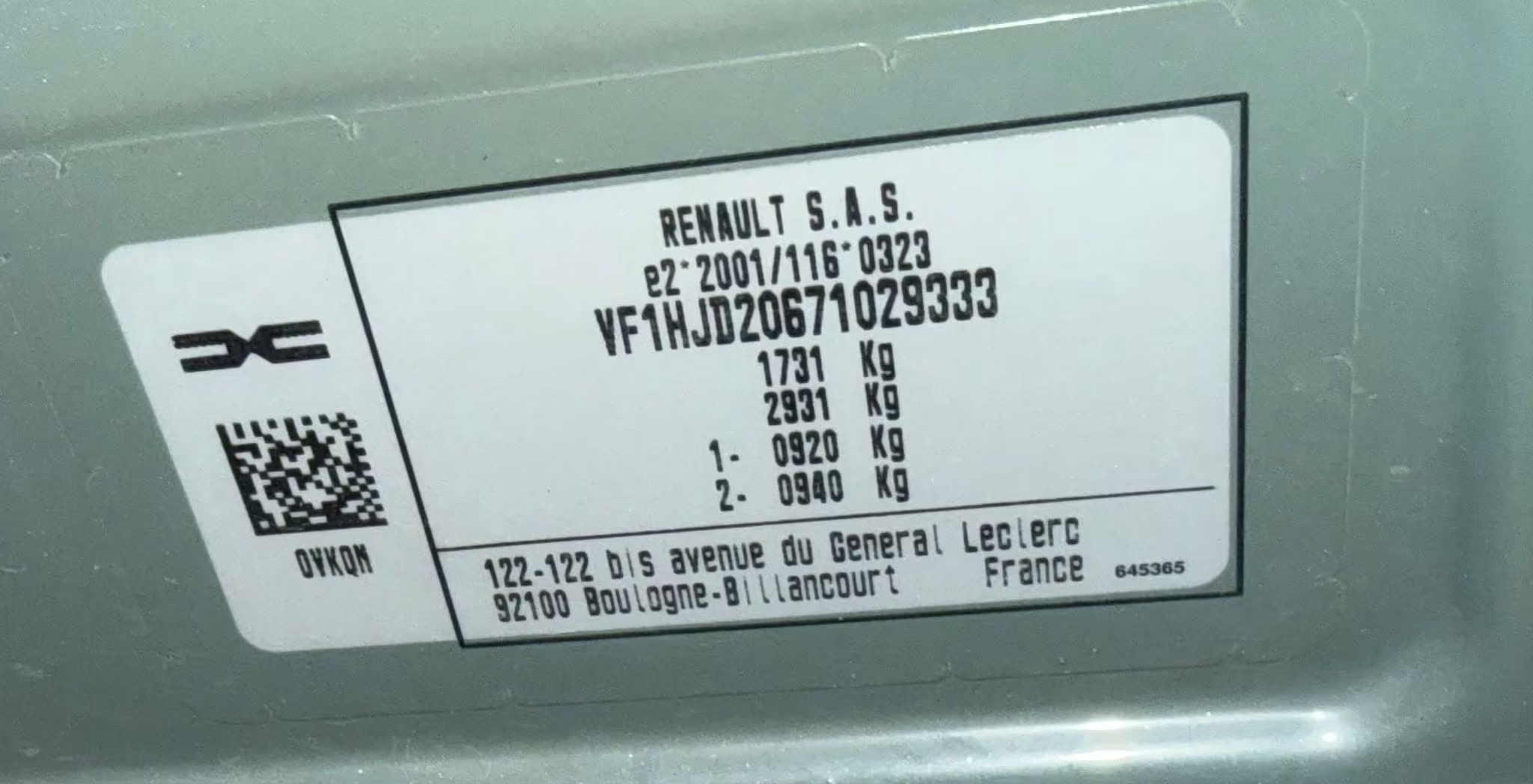
Example of a Dacia Jogger VIN plate. Some Jogger chassis numbers begin with VF1 rather than UU1.
Locate the VIN
Printed on the registration certificate, near the base of the windscreen, on the door frame, or on the chassis plate under the bonnet.
Locate the radio label
If the unit has come out of the dash, look on the casing for a short code such as J612 or H347.
Copy the details carefully
Type the VIN or security code exactly as printed, since even one wrong character changes the result.
Why does a Dacia Jogger radio ask for a code?
Most factory units fitted to the Dacia Jogger include a built-in anti-theft feature. Once the car battery is disconnected, or the radio loses power for any reason, the unit locks itself and asks for the security code before it plays again.
This tends to happen after a flat battery, a battery swap, a jump start, dashboard or wiring work, or fitting a second-hand unit. The radio is rarely broken in these cases — it simply needs the matching code to switch back on.
Because Dacia sits within the Renault group, several of its audio systems share the same design as Renault units. As a result, some Jogger radios show a short pre-code on the label, while others can be identified straight from the VIN.
Dacia Jogger radio code by VIN number
If you would rather leave the radio in place, the VIN number is often the easiest path forward. A Dacia Jogger VIN normally starts with UU1, followed by a mix of letters and digits. Example: UU1JSDK0854027193.
You’ll find the VIN on the car’s registration document, at the base of the windscreen, inside the driver door frame, or on the identification plate. Always type out the full VIN rather than just a portion of it.
Once your VIN or security code has been checked, the matching radio code is confirmed and emailed over to you — a far quicker route than arranging a dealer visit just to get the stereo working again.
Many Dacia vehicles use the same audio units as Renault models. If your Jogger uses a Renault-style security code or VIN, visit our Renault Radio Code page for further details and code retrieval options.
Common Dacia Jogger security code examples
Some Dacia Jogger radios show a short security code printed directly on the unit’s label. This is not the actual unlock code — it exists purely to help identify the correct code for your radio.
J612
Example of a security code seen on a Dacia Jogger radio label.
H347
Pre-code format also used on several Renault units.
W205
Another example of a short radio security code.
Once your code arrives, you’ll need to enter it correctly using the preset buttons on the radio. Several Dacia models, including Jogger, Sandero Stepway, Logan and Dokker, follow a similar process. This short Renault Dokker demonstration shows how the code is entered and confirmed on a compatible factory unit.
Renault Dokker radio code entry example
Dacia models we can help with
Our online service covers the factory radio units fitted to most popular Dacia vehicles.
- Duster
- Sandero
- Logan
- Sandero Stepway
- Jogger
- Logan MCV
- Lodgy
- Dokker
- Spring
- Media Nav
- Media Nav Evolution
- Factory Renault/Dacia radios
Why use RadioCodePro?
No dealer visit
Request your Dacia Jogger radio code online without waiting on a service appointment.
Simple process
Enter your VIN number or security code, complete checkout, and get the result by email.
Support included
Unsure which details to use? Send us a clear photo of the VIN or the radio label.
Dacia Jogger radio code FAQ
Can I get my Dacia Jogger radio code using just the VIN?
Yes. In many cases the radio code can be identified directly from the VIN, especially when it starts with UU1.
Where is the VIN located on a Dacia Jogger?
Usually on the registration document, near the base of the windscreen, on the driver door frame, or on the identification plate.
What is a Dacia Jogger security code?
It’s a short code printed on the radio label, such as J612, used to identify the correct unlock code.
Is the security code the same as the unlock code?
No. The security code only helps generate or identify the final radio unlock code.
What happens if I enter the wrong code?
The radio may lock temporarily after several failed attempts. Leave it powered on and wait before trying again.
How long does delivery take?
Most codes arrive quickly by email, though some requests may take a little longer depending on verification.