Dacia Sandero Stepway Radio Code by VIN Number or Security Code
If the radio in your Dacia Sandero Stepway is asking for a code after a battery disconnect, a flat battery, an electrical repair or a unit replacement, you can request the unlock code online using your vehicle’s VIN number or the short security code printed on the radio label.
On most Dacia Sandero Stepway vehicles the VIN starts with UU1, for example UU1SSDK0619042871. Some radios instead display a short security code, such as S734, which is used to identify the final unlock code.
Enter your Sandero Stepway VIN or security code
Use the full chassis number or the code shown on the radio label.
Dacia radio · Not a Dacia? Change the make
Where to find the VIN or security code on a Dacia Sandero Stepway
Sandero Stepway audio systems are linked either to the vehicle’s own data or to a short code printed directly on the radio housing. If you have the car’s registration documents on hand, the fastest route is usually the VIN number, which for Dacia almost always starts with UU1.
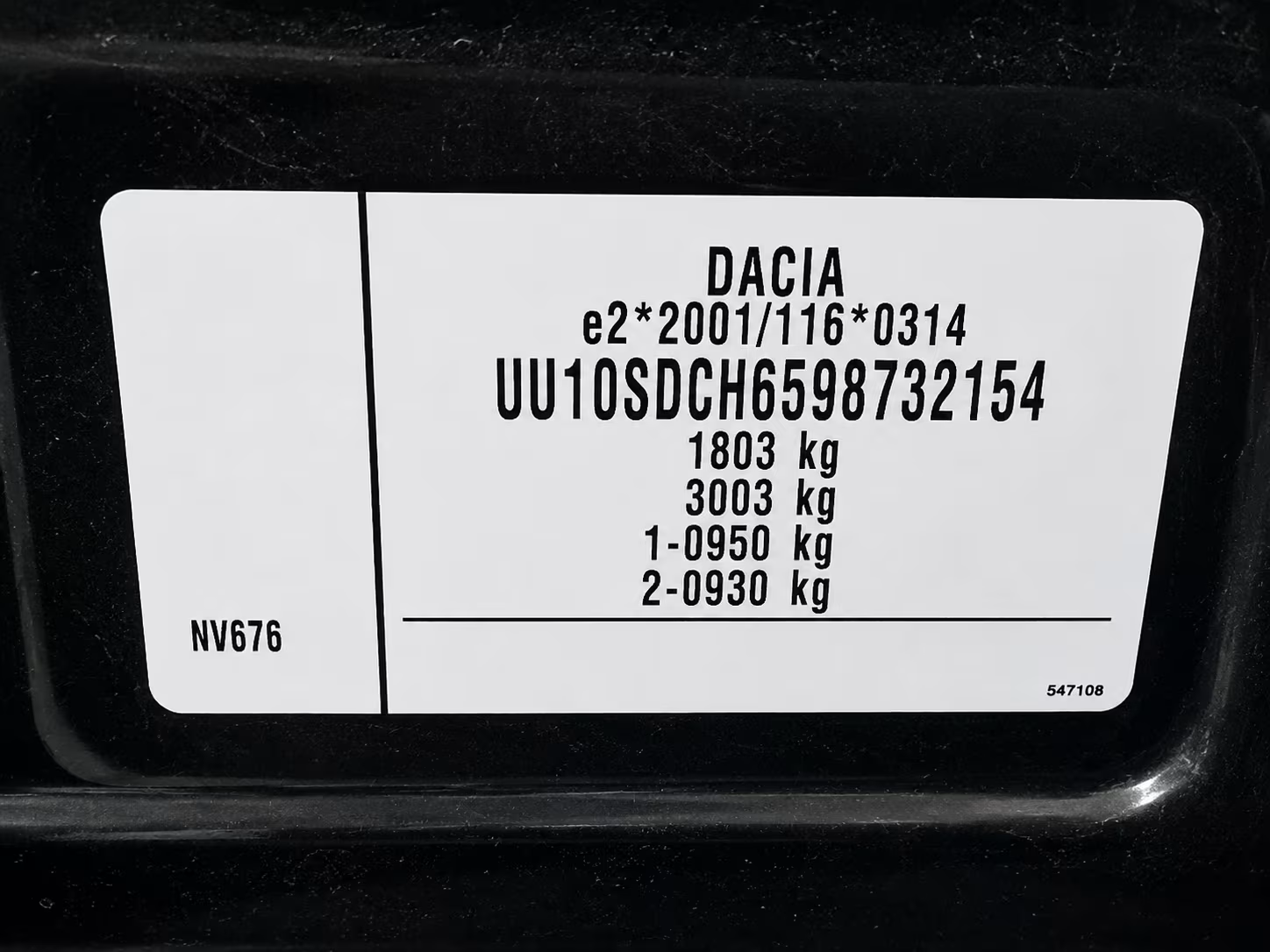
Example of a Dacia VIN. On Sandero Stepway models the series typically begins with UU1.
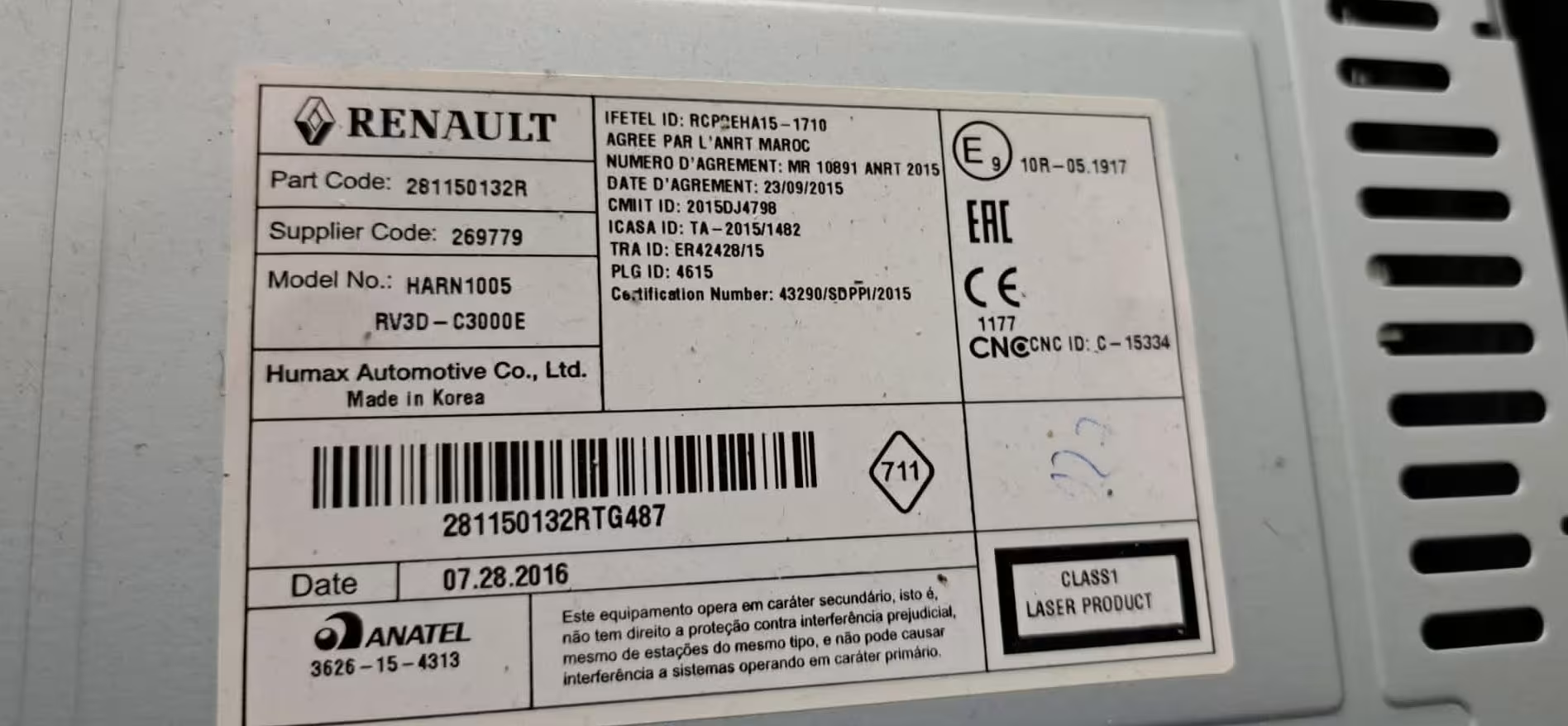
Example of a radio label showing the security code printed on the unit.
Check the VIN
Found on the registration document, near the windscreen, on the driver door frame, or on the manufacturer’s plate.
Check the radio label
If the unit has been removed from the dash, look for a sticker with a short code such as S734 or N265.
Enter the details correctly
Type the VIN or security code exactly as shown. A single wrong character can lead to an incorrect result.
Why does a Dacia Sandero Stepway radio ask for a code?
Many factory audio units fitted to the Dacia Sandero Stepway include an anti-theft protection system. When the car battery is disconnected or the radio loses power, the unit automatically requests the security code before it will work again.
This commonly happens after a flat battery, a battery replacement, a jump start, an electrical repair, dashboard work, or a radio swap. In most cases the unit itself is not faulty — it simply needs the correct code to reactivate.
Dacia is part of the Renault group, so many of its audio systems are closely related to Renault units. That’s why some radios show a pre-code on the label, while others can be identified directly from the vehicle’s VIN.
Dacia Sandero Stepway radio code by VIN number
If you’d rather not remove the radio from the dashboard, the VIN number is often the simplest option. A Dacia Sandero Stepway VIN normally starts with UU1, followed by a mix of letters and digits. Example: UU1SSDK0619042871.
You can find the VIN on the vehicle’s documents, in the lower corner of the windscreen, inside the driver door area, or on the vehicle identification plate. Always enter the full VIN, not just part of it.
Once the VIN or security code has been verified, the matching radio code is checked and sent to you by email — a much faster alternative to booking a dealer visit just to get the radio working again.
Many Dacia vehicles share the same audio units as Renault models. If your car uses a Renault-style security code or VIN, visit our Renault Radio Code page for more information and code retrieval options.
Common Dacia Sandero Stepway security code examples
Some Dacia Sandero Stepway radios display a short security code printed on the unit’s label. This is not the final unlock code — it’s used to identify the correct code for your specific radio.
S734
Example of a security code found on a Dacia Sandero Stepway radio label.
N265
Common pre-code format shared with some Renault units.
P918
Another example of a short radio security code.
Once you receive your code, it must be entered correctly using the preset buttons on the radio. Many Dacia models, including Sandero Stepway, Logan, Duster and Dokker, use a similar procedure. This short Renault Dokker demonstration shows how the code is entered and confirmed on a compatible factory unit.
Renault Dokker radio code entry example
Dacia models we can help with
Our online service covers the factory radio units fitted to most popular Dacia vehicles.
Why use RadioCodePro?
No dealer visit
Request your Dacia Sandero Stepway radio code online without waiting for a service appointment.
Simple process
Enter your VIN number or security code, complete checkout, and receive the result by email.
Support included
Not sure which details to use? Send us a clear photo of the VIN or the radio label.
Dacia Sandero Stepway radio code FAQ
Can I get my Dacia Sandero Stepway radio code using just the VIN?
Yes. In many cases the radio code can be identified directly from the VIN, especially when it starts with UU1.
Where is the VIN located on a Dacia Sandero Stepway?
Usually on the vehicle’s registration documents, near the windscreen, on the driver door frame, or on the identification plate.
What is a Dacia Sandero Stepway security code?
It’s a short code printed on the radio label, such as S734, used to identify the correct unlock code.
Is the security code the same as the unlock code?
No. The security code is only used to generate or identify the final radio unlock code.
What happens if I enter the wrong code?
The radio may lock temporarily after several failed attempts. Leave the unit powered on and wait before trying again.
How long does delivery take?
Most codes are delivered quickly by email, though some requests may take longer depending on verification.